Writing in Markdown, Publishing as Clean HTML: A Practical Workflow
Convert Markdown to HTML with FreeDailyPro Markdown HTML Converter. Practical writing workflow with diff checks.
A README, a changelog, a help-center article: plain Markdown is pleasant to write and diff in version control, yet the CMS at the end of the pipeline often wants HTML. Markdown ↔ HTML Converter goes both directions in your browser, so you can draft in the format you like and hand off the format the platform needs.
Markdown to HTML in practice
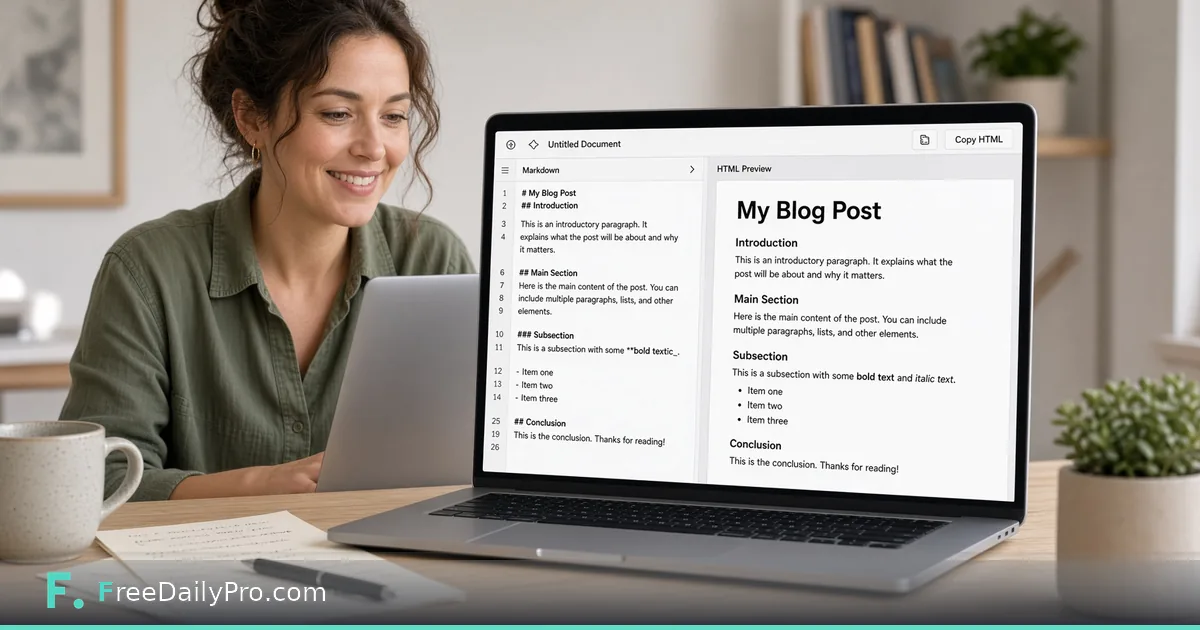
Paste your draft, keep the direction on Markdown to HTML, and copy the output. The converter follows CommonMark plus GitHub-style tables, task lists, and strikethrough, and it handles nested lists, block quotes, and fenced code. Two options save time: a full-document switch wraps the result in a complete page with doctype, head, and body, and a download button saves a converted.html file. You can also load a .md or .html file up to 2 MB instead of pasting.
Try a small test first:
## Release notes
- **Fixed** login redirect
- Added [export guide](https://example.com/export)
You should see an h2, a bulleted list with a strong element, and a normal anchor. If your CMS strips the h2 or turns the list into paragraphs, you have learned that before pasting a 3,000-word article.
HTML back to Markdown
The reverse direction is the underrated one. When an old page lives only as HTML, paste it in and you get Markdown you can clean up and keep in a repository. This works best on content markup such as headings, lists, links, and emphasis. Deeply styled layouts, inline styles, and tables built for visual positioning will not become tidy Markdown, because Markdown has nowhere to put them.
Safety behavior worth knowing
The generated HTML is cleaned: scripts, event-handler attributes, and javascript: links are removed. Raw HTML you include inside Markdown is kept but sanitized, and the preview runs in a sandboxed frame with scripts disabled. That is good for pasting untrusted text, but it also means a snippet that depends on a script tag will not survive conversion.
Check what the CMS did to your markup
Some editors rewrite HTML on save by adding wrapper divs, changing quote characters, or dropping attributes. To see exactly what changed, copy the stored HTML from the CMS and compare it with your converter output in Diff Checker. Differences that are only whitespace are harmless; a missing rel attribute or a flattened table deserves a fix. If the pasted text has stray spaces or odd invisible characters from a word processor, Text Cleaner removes them before conversion.
What will not round-trip
Shortcodes, framework components, custom CSS classes, and platform-specific embeds are not Markdown concepts. Convert only the content structure and leave those pieces to the platform. A sensible rule is to keep headings, paragraphs, lists, and links in Markdown, and add the platform extras after import.
Who gets the most from it
Developers who maintain documentation sites, bloggers who write offline, and support teams moving articles between help systems all spend time on this handoff. The savings are small per article, but they add up over a year of publishing, and a repeatable conversion step is easier to trust than hand-editing tags.