Mail-Merge Letters and Certificates From a CSV
Use Mail Merge PDF to turn a CSV and template into personalised letters or certificates as one PDF or a ZIP.
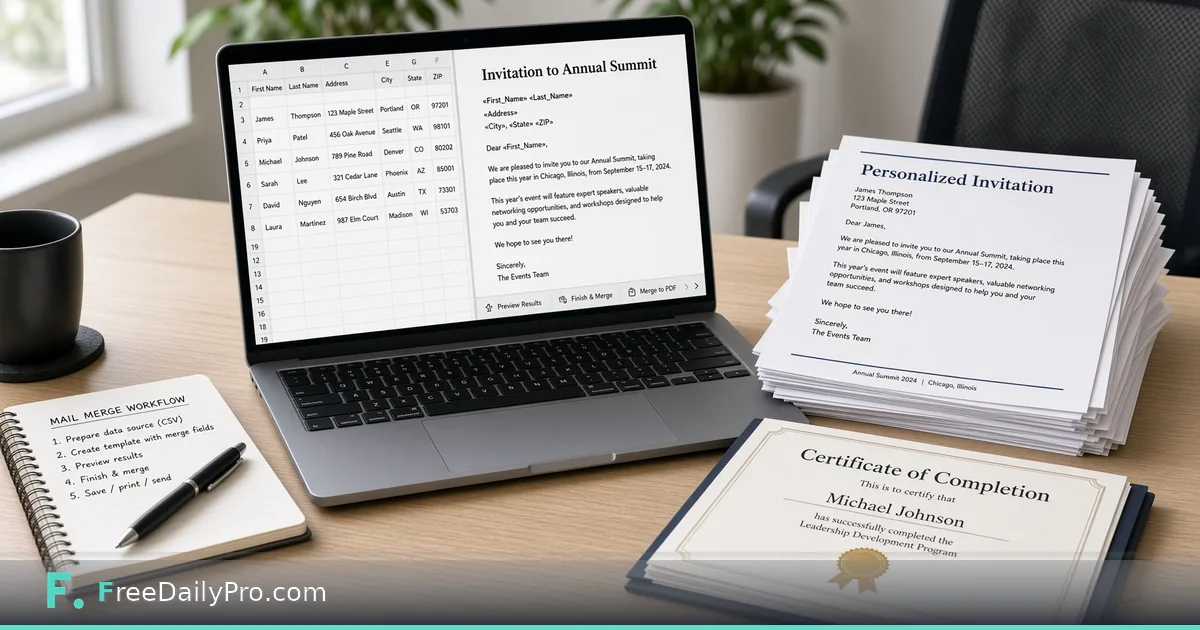
You have 86 names in a spreadsheet and a thank-you letter that should not say Dear Customer on every page. Mail Merge PDF turns a CSV or pasted table plus a template into one letter, certificate or notice per row—as a single multi-page PDF or a ZIP of individual PDFs—entirely in the browser.

This guide covers one job only: prepare columns, write {{Field}} placeholders, preview rows, then download the pack. For designed award art use Certificate Maker; for stickers use Label Sheet Maker; to combine other PDFs use Merge PDF. Category: pdf tools.
Placeholders match column names
Type the column name inside double curly braces, for example {{First Name}}. Matching ignores capital letters and extra spaces. Wrong fields stay visible as {{Name}} in preview and are listed as missing so you can fix spelling before download. Choose Letter or Certificate layout, set type size, step through previews, then download one PDF (one page per record) or a ZIP named from a column you pick.
Worked example: workshop completion certificates
A training firm finishes a 64-person workshop. CSV columns: First Name, Last Name, Course, Date. Template uses Certificate mode with {{First Name}} {{Last Name}} completed {{Course}} on {{Date}}. They preview five rows, fix a misspelled column, download a ZIP named by Last Name, and email files individually. The table never uploaded to FreeDailyPro storage—it stayed in the browser.
Steps on Mail Merge PDF
- Open Mail Merge PDF.
- Paste the table or drop a CSV; first row must be column names.
- Write the template body with {{Column name}} fields.
- Choose Letter or Certificate and a type size.
- Step through several previews, including a tricky row with long names.
- Fix any fields listed as not in your table.
- Choose one combined PDF or a ZIP of per-row PDFs.
- Pick a filename column for ZIP mode when available.
- Download and spot-check three random files.
- Archive the CSV and template text with the export date.
Common mistakes
- Column headers with trailing spaces that do not match {{Fields}}.
- Printing before reading the missing-field notes under the preview.
- Expecting email send or postal mail—the tool only builds PDFs.
- Using Certificate mode for complex artwork that needs Certificate Maker instead.
- Combining merged pages with unrelated PDFs without checking page order.
Limits and good to know
Pages are text-focused, not full graphic design. It does not send email. Among FreeDailyPro’s 300+ professional tools, premium applications and workflow products it excels at batch personalisation. Where downloads count toward the daily allowance, expect 10 trial usages for mail merge pdf, then a day pass or monthly options when you need more. Privacy: table and template stay in the browser.
Edge cases
Accented names: verify fonts embed as expected when printing. Empty fields: decide whether to show blank or conditional sentences (keep templates simple). Very large CSVs: merge in chunks if the browser slows.
Template hygiene
Keep a plain-text master template in version control. Change data in CSV, not by hand-editing 86 PDFs.
Data cleanup before the first preview
Normalise column headers: no punctuation, stable spelling, one meaning per column. Split first and last names if you need both greetings and filename order. Watch for CSV exports that include a BOM or semicolon delimiters from regional Excel—open and re-save as UTF-8 comma CSV if fields look shifted. Preview the longest name and the shortest name; layout problems hide in the extremes, not the average row.
Proof sample set
Always print or open the first, middle, and last merged PDF before the full batch. Column shifts and empty fields show up at the edges of the list more than in the first three friendly rows.
Certificates versus letters
Certificate mode centres award language; letter mode suits postal-style correspondence. Do not force a formal letter layout onto a certificate that should look ceremonial—use Certificate Maker when you need borders and ornaments. For attendance letters, letter mode with a short body and clear {{Course}} {{Date}} fields is enough.
Filename columns
When ZIP-naming from a column, ensure values are unique and filesystem-safe. Duplicate last names collide; include first name or an id column. Strip characters that break Windows paths before merge if your export source is messy.
If legal or HR must approve letter wording, freeze the template text in a shared drive and only change the CSV. That separation keeps counsel from re-reviewing every personalised page. For certificates of completion, include a verification sentence with a course code field so later audits can match attendance lists.
Test merge with a deliberately messy row: long hyphenated name, empty optional field, and accented characters. Fix template spacing around empty fields so you do not print “Dear ,” with a blank.
Batch size and printer queues
Merge in batches of 50–100 if your printer driver chokes on huge multi-page PDFs. ZIP mode helps when each person needs a separate email attachment. Keep a sent log of which row numbers shipped on which day so a failed email can be regenerated without redoing the entire list.
Check page count against row count
After the download, compare the number of pages (or files in the ZIP) with the number of rows in your table. They should match exactly. If a row went missing or a blank line created an empty page, you will see it immediately, and you can fix the CSV and merge again before anything is printed or emailed.
Next step
Personalised pages at scale should still be checkable row by row. Open Mail Merge PDF, preview the awkward names first, then download the ZIP or combined PDF.
Would conditional lines (if field empty, skip sentence) help your merges? Propose it at contact.