Compare Two PDFs Side by Side and Spot Contract Changes Fast
Free PDF comparison on FreeDailyPro. Review contract revisions and report diffs without uploading sensitive files to strangers.
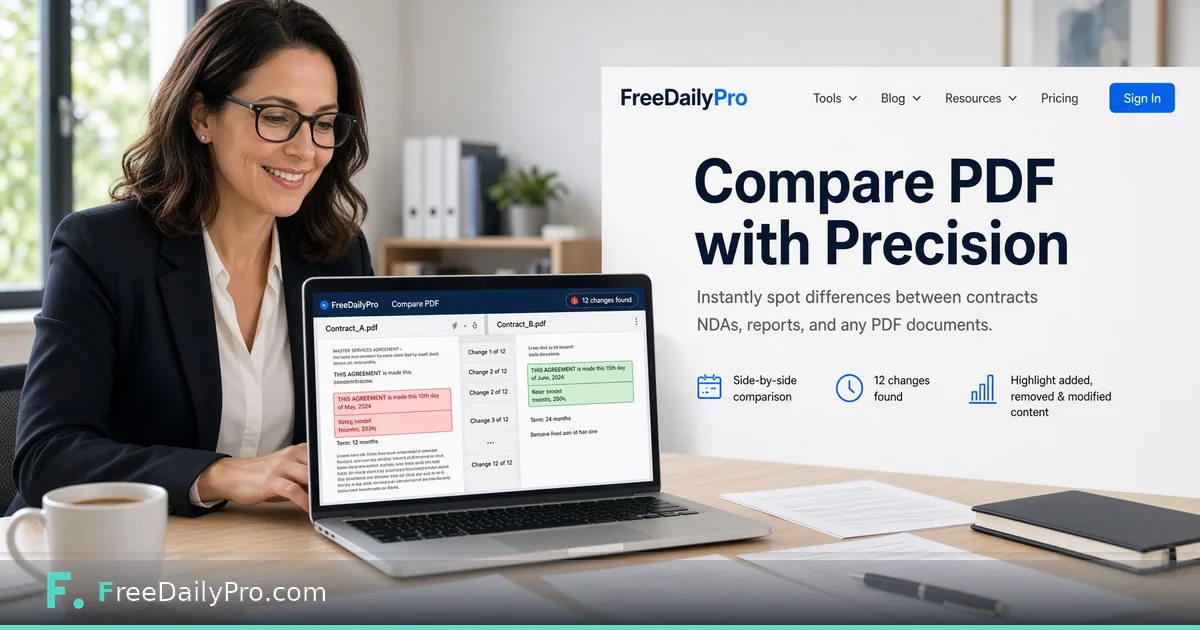
FreeDailyPro.com — Version two of a contract arrives at 4:55 p.m. Someone swears "only the dates changed." FreeDailyPro's Compare PDF helps you verify that claim without printing both stacks or trusting a mystery cloud viewer with confidential clauses.
Load the two PDFs. Review differences in the browser. Core processing stays on your device — the same privacy model that powers FreeDailyPro's wider PDF suite. That is essential when NDAs, offer letters, board decks, and customer MSAs cannot casually leave the laptop.
Why Manual Diffs Fail
Humans miss single-word swaps in indemnity language. Font reflows hide deletions. "Final_final_v7.pdf" naming does not prove content. Compare PDF reads the text of both versions and shows what was added or removed, which catches what tired eyes skip after a long negotiation day. It works on text, so a scanned PDF with no text layer will not give useful results.
Compare PDF pairs perfectly with Diff Checker for plain text, Redact PDF for removing sensitive spans before wider sharing, and Organize PDF when page order itself is the dispute.
A Review Workflow That Scales
Receive the counterparty file. Compare against your last approved version with Compare PDF. Extract disputed pages via Extract PDF or Split PDF. Annotate with PDF Editor if you mark comments visually. Sign the agreed version using Sign PDF.
For forms-heavy packs, Fillable Forms keeps structured fields editable. Password-protect the outbound file with PDF Password. Compress email-ready copies via Compress PDF.
Teams That Live in Document Diffs
Legal and compliance. Procurement. Finance controllers. HR offer letter cycles. Agencies reviewing client markups. Engineers shipping PDF specs to manufacturers. Researchers reconciling paper revisions. Freelancers protecting scope in SOWs.
Some employers forbid pasting contract text into cloud chat assistants. A comparison that runs locally in the browser gives you a clean answer without asking anyone for an exception.
Where Compare PDF Fits in the Suite
The PDF tools process files in your browser. You get 10 trial usages a day to test the workflow, and a Day Pass or Monthly Pro covers heavy review days such as the end of a quarter. Plans are listed on the pricing page.
For automation on non-sensitive text, a developers API and MCP layer exists as a separate product. Keep confidential comparisons interactive and local.
Negotiation Psychology and Evidence
In tough negotiations, people remember the last verbal promise. Written diffs protect both sides. When you can point to a concrete change in a PDF, discussions stay factual. Compare PDF becomes a shared screen artifact in video calls: "Here is the clause that moved."
Keep an archive of compared milestones: term sheet, first full draft, redline round, final. FreeDailyPro does not replace your DMS, but it makes each milestone reviewable without expensive desktop licenses for every stakeholder.
Education, Research, and Publishing
Teachers compare student submission versions. Researchers reconcile manuscript proofs. Open-source docs maintainers check PDF builds of RFCs or design notes. The same tool that helps lawyers helps academia. Privacy still matters when student data or unpublished research is involved — browser processing is the right default.
Engineering Specs and Manufacturing
Hardware teams ship PDF drawings. A one-pixel note change can cost a production run. Comparing revisions before release is cheaper than scrap. Pair Compare PDF with Extract PDF to isolate the page that changed, then send only that exhibit to the vendor.
Compress large drawing sets with Compress PDF. Merge related exhibits with Merge PDF. Sign approvals with Sign PDF. FreeDailyPro covers the operational layer around the comparison itself.
Building a Lightweight Review SOP
1. Name files with dates and versions. 2. Compare against the last approved PDF. 3. List material changes in a short note. 4. Redact if sharing externally. 5. Sign only after checklist complete. Tools linked above support each step without leaving FreeDailyPro.
When your SOP needs automation for non-sensitive text, API and MCP on the developers page can assist. Keep confidential compare sessions interactive and local.
Client Communication Templates
After a compare pass, send a short email: "Material changes are on pages 3, 7, and 12. No change to payment terms. Please confirm by Friday." Attach only the compared understanding, not a vague "see redlines." FreeDailyPro helps you find the pages; your note closes the loop.
Agencies can bill fewer hours on version archaeology when juniors run compare first. Law firms can train paralegals on a standard tool instead of ad-hoc desktop plugins. Freelancers can protect scope when clients claim "we only changed the logo."
Audit Trails Without Heavy Software
Even small teams benefit from a compare log: date, files compared, reviewer, outcome. A shared spreadsheet plus FreeDailyPro compare sessions is enough for many SMBs. When you grow into enterprise DMS features, you still keep compare as a personal power tool for quick checks.
Never email both unredacted confidential versions to personal Gmail accounts "just to compare." Use the local tool, then share only necessary excerpts. That habit alone prevents many amateur leaks.
Limits Worth Knowing
Compare PDF shows text differences, redline-style. It will not judge whether a changed clause is acceptable, and it cannot read text inside scanned images. If a counterparty sends a scan, run it through an OCR step first or compare against the original Word file with Diff Checker instead.
A reflowed layout can make two identical contracts look different on paper, while the text comparison stays clean. That is a feature: you care about wording, not pagination. Still, always skim the pages flagged as changed in context before you reply, because a tool shows what moved, not what it means.
Call to Action
Run your next revision through Compare PDF before you approve it, then use Redact PDF and Sign PDF to finish the pack. The full PDF tools category has merge, watermark, and convert utilities for the rest of the negotiation file.