Make a Pay Stub From the Rates You Actually Withhold
Build a clear pay stub with earnings, deductions, net pay and year-to-date gross, as Word or PDF, using the tax rates you actually withhold.
A part-time employee asks for a record of last fortnight's pay, and your payroll provider does not issue stubs for cash adjustments or for a household worker. The Pay Stub Generator turns the figures you already have into a tidy stub with earnings, deductions, net pay and an optional year-to-date line, as a Word or PDF file.
Be clear about what it is. The tool adds up what you enter. It does not look up tax tables, run payroll or file anything. Use it for a record of numbers that came from your payroll provider, accountant or agreement.
What goes on the form
Enter the employer name, the employee name, the pay period start and end, and the pay date. Employer address and employee ID are optional. Then choose Hourly, or Salary with the amount for this period.
For hourly pay, enter the rate, regular hours, overtime hours and the overtime multiplier, which starts at 1.5. Add a bonus if there is one. Then enter the rates you withhold: federal income tax, state income tax, Social Security (6.2 percent to start) and Medicare (1.45 percent to start). Health insurance and retirement can be dollars or a percent of gross pay, using the $ and % buttons. A box for other deductions and one for gross pay earlier this year finish the form.
A worked example
An hourly employee earns $28 an hour, works 80 regular hours and 6 overtime hours. Regular pay is $2,240 and overtime is 6 x $28 x 1.5 = $252, so gross pay is $2,492.
Withholding is typed at 12 percent federal and 4 percent state, with the Social Security and Medicare defaults and a $85 health premium. The tool works out $299.04 federal, $99.68 state, $154.50 Social Security and $36.13 Medicare, plus the $85, for total deductions of $674.35. Net pay is $1,817.65.
Each amount is rounded to the cent before the total is added, which is how the lines on a printed stub add up to the same net figure.
What the finished stub contains
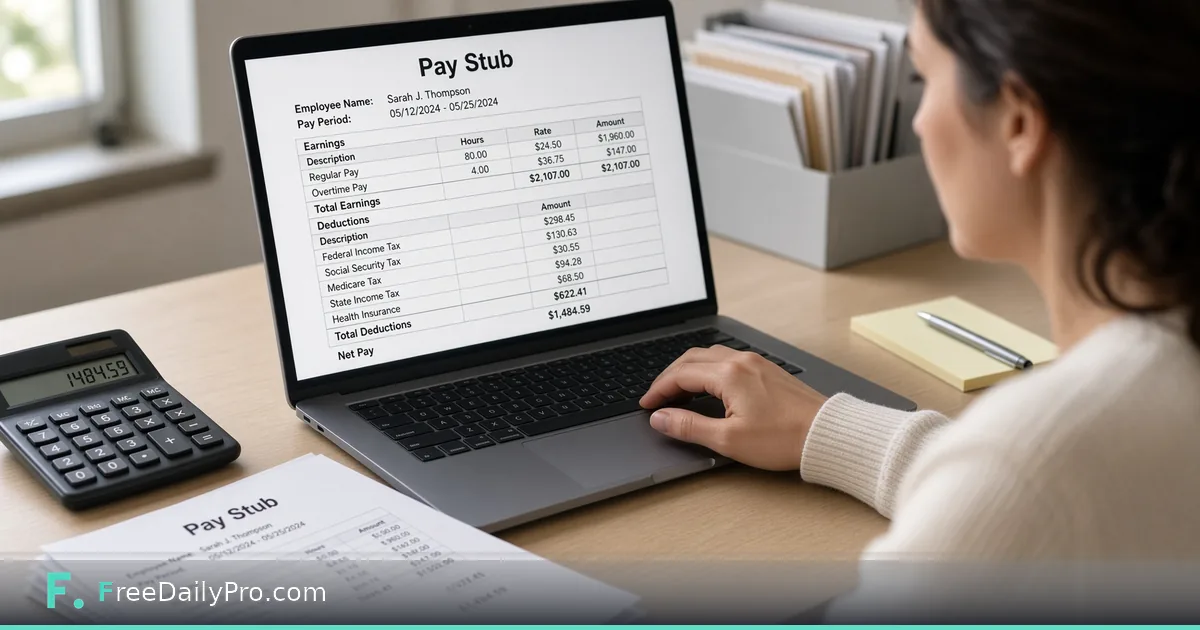
The file has five parts, in this order: a heading block with the employer (and address, if you typed one), the employee (with the ID, if any), the pay period and the pay date; an Earnings list; a Deductions list; Net pay; and a closing sentence saying the stub was made for the records of the employer and employee and is not a payroll service. The Earnings list shows regular pay with the hours and rate, then overtime if there is any, then a bonus if there is one, then gross pay. The Deductions list shows only the lines that are more than zero, so a stub with no health premium simply has no health line. If every line is zero, it says "No deductions". The file is named from the employee and the pay date, for example pay-stub-jo-smith-2026-10-30.docx.
Pre-tax retirement
Tick Retirement is pre-tax and enter a contribution, for instance 5 percent of gross pay. The tool then works federal and state tax on gross pay minus the contribution, while Social Security and Medicare still use full gross pay.
In the example, 5 percent is $124.60. Federal tax drops to $284.09, state tax to $94.70, and net pay becomes $1,712.98. Leave the box unticked if the plan is after-tax. Whether a plan is pre-tax is a fact about your plan, so check it before you tick the box.
Year to date
Fill in gross pay earlier this year and the stub adds a line showing the year-to-date gross: the earlier amount plus this period. If the earlier figure is 14,000 and this period's gross is 2,492, the stub shows 16,492. The line shows gross pay only; there are no year-to-date tax figures.
A second example: a salary stub with a bonus
Jo is paid a salary of $2,500 for the pay period and gets a $300 bonus. Gross pay is $2,800. With 12 percent federal, 4 percent state, the default 6.2 percent Social Security, 1.45 percent Medicare and an $85 health premium, the deductions come to $336.00 federal, $112.00 state, $173.60 Social Security, $40.60 Medicare and $85.00 health, which is $747.20 in total. Net pay is $2,052.80. Because the bonus is simply added to gross pay, it is taxed at the same percentages, as the section below on bonuses explains.
Steps
- Fill in the employer, employee, dates and pay type.
- Enter the rate and hours, or the salary for the period.
- Type the withholding rates and deductions that your provider uses.
- Press Preview and compare the net pay with your own payroll figure.
- Download Word or PDF. Pay Stub Generator is a Premium Application with 2 trial uses a day before a day pass or plan applies. The download counts as one use; the preview does not.
The form stops you from previewing or downloading when something is wrong. A negative number, text in an hours box, a percent typed into a dollar box, a percent over 100, or a pay period that ends before it starts each show a message under the box.
Salary stubs and bonuses
For a salary employee, choose Salary and enter the amount for this pay period, for example 2,500 for a half-month. The hours boxes disappear because they do not apply. A bonus is added to gross pay, so it is taxed at the same percentages you typed for the other earnings. If your provider withholds a bonus at a different rate, the stub will not match it, and the tool has no separate box for that.
Social Security and Medicare are applied as percentages of gross pay with no wage cap, so for high earners later in the year compare the figures with your provider's before you hand the stub over.
Employee, contractor or neither
A pay stub belongs to an employee relationship. If you pay a freelancer or contractor, you normally receive an invoice from them rather than issuing a stub, and they handle their own tax. Invoice Generator makes the invoice, and Self-Employment Tax gives the person being paid a rough idea of what to set aside; the walk-through is in self-employed tax and retirement calculators. Which category someone falls into is a legal question that depends on where you are, so ask your accountant if you are unsure. The stub tool treats everything you type as numbers and does not decide it for you.
Do not use it for a loan or lease
A stub made here is a record of figures you typed. It is not proof of income, and it must not be used to support a loan, mortgage or rental application. Lenders and landlords verify stubs with the employer or the provider, and presenting made-up figures can be fraud. The page carries this warning for that reason.
Common mistakes
Typing the rate you think applies instead of the rate your provider withholds, then trusting the net pay. Entering a weekly salary on a biweekly stub, because salary is the amount for the pay period, not for the year. Assuming one format fits every state: rules on what a stub must show and how long to keep it vary, so ask your accountant.
Related tools
If you want to estimate take-home pay from a salary before you have payroll figures, Paycheck Calculator does that. To record hours first, Timesheet Generator makes printable weekly, fortnightly or monthly timesheets. The rest of the group is under business tools.
Would you like the stub to cover weekly pay periods, tips or a second employer? Tell us on the contact page.