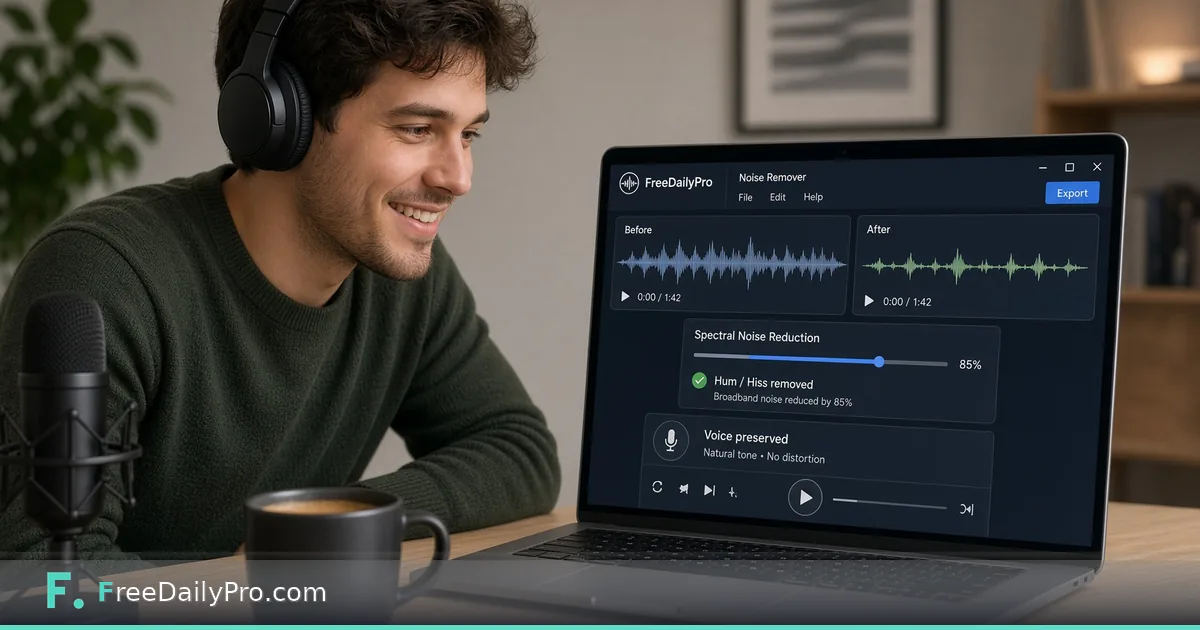
Remove Background Hum From Voice Memos in Your Browser
Clean steady background noise from audio in your browser with FreeDailyPro Noise Remover. Pair with silence remover and trimmer.
FreeDailyPro.com — A great script dies under a refrigerator hum. Interview gold becomes unusable next to an air conditioner. FreeDailyPro's Background Noise Remover targets steady noise floors — hiss, fan, AC drone — using FFT-based spectral subtraction, the same family of techniques professional restoration tools rely on for constant background.
Upload runs in the browser. Your recording does not need to leave the device for the cleanup pass. That is a big deal for client interviews, medical-adjacent notes, HR screens, or anything covered by a company software policy. You get usable audio without renting a cloud studio account for a single noisy take.

What This Tool Is (and Is Not)
Steady noise is the sweet spot: a hum that sits at roughly the same level through the take. Choose how aggressive the cleanup should be, preview the result, and download. For chaotic rooms with overlapping speech, clatter, and music, results will be more limited — this is not the same as advanced AI voice isolation products that separate speakers from crowded cafés.
Honesty builds trust. If you need full AI voice isolation, say so up front and budget for those tools. If you need a quick, private first pass on fan noise before you share a clip, FreeDailyPro is the right bookmark.
Build a Full Voice Cleanup Chain
Start with Noise Remover. Follow with Silence Remover to cut dead air. Use Audio Trimmer for tight intros. Audio Compressor helps when the file is still too large for email. Audio Converter covers format handoffs.
Need a voice memo from video? Extract Audio first. Recording fresh? Voice Recorder and Screen Recorder keep capture local too. The Audio Tools category is a complete toolkit for creators who cannot wait on installers.
Who Benefits Immediately
Podcasters on a budget. Teachers recording lessons at home. Freelancers sending voice proposals. Support teams capturing bug reports. Journalists cleaning field notes before transcription. Students submitting oral projects without buying a DAW license for one assignment.
Because processing is client-side, you can work offline-friendly once the page is loaded, and you avoid uploading raw interviews to services you do not control. FreeDailyPro's trial tier covers daily use; Day Pass or Monthly Pro unlocks heavier unlimited file-tool days when you are in a production sprint.
Pair Audio With Document and Video Deliverables
Clients rarely want only a WAV. Export clean audio, then attach a PDF summary using Word to PDF or Merge PDF. Add a short demo clip with Trim Video or Video to GIF. Compress supporting images with Compress Image.
One platform keeps the chain private and fast. That is the FreeDailyPro difference versus stitching five sites with five logins and five upload policies.
Capture Hygiene Before You Clean
The best noise removal is less noise at capture. Place the mic closer. Soften hard rooms with blankets. Mute notifications. Still, real life includes HVAC and laptop fans. That is why a quick cleanup pass remains essential. FreeDailyPro fills the gap between "raw memo" and "good enough to share."
Creators often bounce between three apps for trim, denoise, and export. Keeping Noise Remover, Silence Remover, and Audio Trimmer on one site collapses that friction. You stay in flow instead of exporting between paywalled suites.
Podcast and Interview Scenarios
Interviewed someone in a café corner with a steady fridge hum? Spectral subtraction can reduce the constant layer so dialogue sits forward. Recorded a Zoom export with fan noise under your voice? Run cleanup before you send the client recap. Teachers recording at 6 a.m. before the house wakes can salvage takes without a second session.
Always preview aggressively cleaned audio for artifacts. Over-subtraction can make speech thin. Dial aggression to the lowest setting that fixes the problem. Ship the version humans prefer, not the most extreme setting.
Accessibility and Distribution
Cleaner audio helps captions, transcription services, and listeners using earbuds on noisy trains. After cleanup, convert formats with Audio Converter, merge segments with Audio Merger, and adjust pace with Audio Speed Changer when needed.
Package a PDF show notes file via Word to PDF. Attach a short video bumper using Screen Recorder and Trim Video. FreeDailyPro remains the single bookmark for the full handoff.
Team Policies and Trust
HR and legal often ban uploading interviews to random AI cleaners. A browser-first tool with transparent limits is easier to approve. Communicate clearly: FreeDailyPro processes core work client-side; paid plans remove ads and raise file-tool caps; API exists for separate developer automation. That honesty builds long-term trust with security reviewers.
Multi-Track Projects Without a Full DAW
Many creators only need one voice track cleaned, not a full multi-bus mix. FreeDailyPro is ideal for that lane. Clean the voice, export, then drop into CapCut, Descript, or a simple editor if you still need music beds. You avoid paying for a pro DAW seat just to kill a fan hum.
Journalists can clean field recordings before transcription. Researchers can tidy interview archives before coding themes. Podcasters can rescue a co-host track recorded on a laptop mic. The common thread is speed plus privacy.
If you later need server-side audio automation, watch the FreeDailyPro API roadmap on the developers page. Today's strength is the browser suite for human-in-the-loop cleanup that keeps raw interviews local.
A Simple Weekly Creator Ritual
Every Friday, archive raw takes and cleaned finals in separate folders. Name files with date and guest. Run noise removal once, silence removal once, then export. That ritual prevents "where is the good version" chaos next month.
FreeDailyPro fits rituals because it is ready to try with trial usages, private by design, and deep enough for serious voice work without pretending to be a full studio suite. Bookmark the audio category and share it with collaborators so everyone uses the same path.
Call to Action
Drop a noisy sample into the Noise Remover and hear the difference on steady hum. Continue through silence removal and trim for a publish-ready take. Explore the full audio category for converters, merger, and speed tools.
Tool videos are coming soon on YouTube so you can watch the cleanup live. What audio feature should we prioritize next — batch noise profiles, better music ducking, or louder podcast loudness helpers? Reply with your wish list and keep creating with privacy intact.