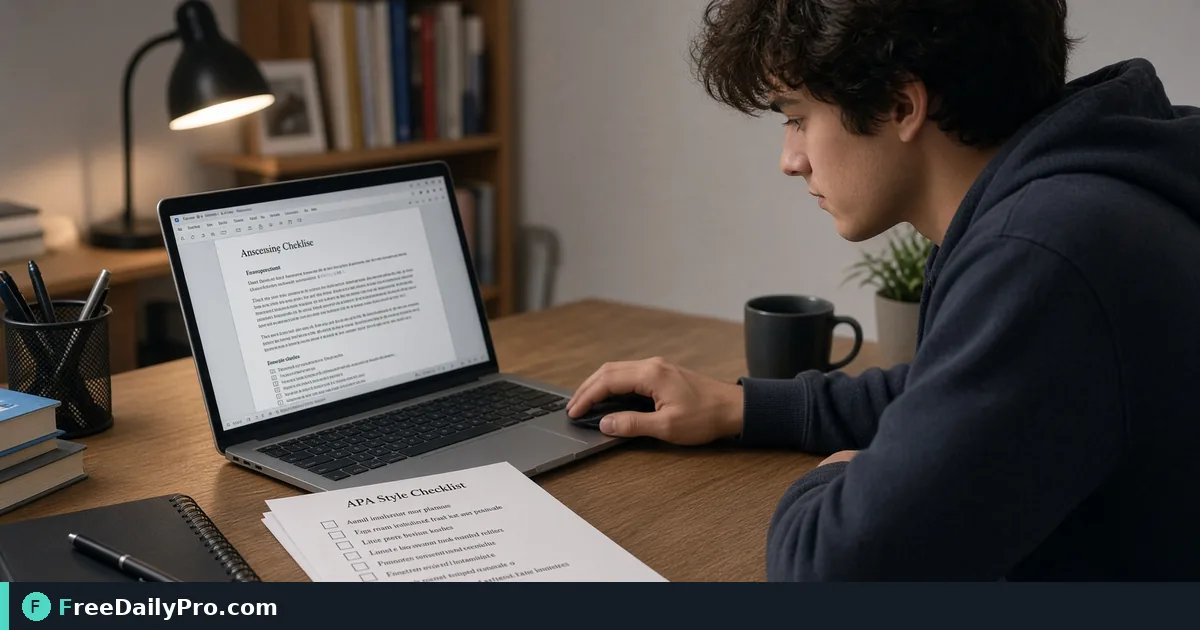
Check a Word Paper Against APA, MLA, or Chicago
Run Paper Format Checker on a student or thesis .docx for APA, MLA, or Chicago before you submit.
The content is ready, but the syllabus still grades formatting. Maya Ortiz, a junior writing a 12-page literature review for a 300-level seminar in Raleigh, North Carolina, needs to know whether her .docx actually meets APA 7 before she hits Submit. Paper Format Checker reads the real Word settings—margins, fonts, sizes, line spacing, paragraph spacing, indents, and page numbers—and scores them against APA, MLA, or Chicago.
This guide covers one job: pick a style, upload the .docx, read pass/fail/undetermined rows, fix only the failed settings in Word, and re-check. It is written for students and long-form writers among FreeDailyPro's 300+ professional tools, premium applications and workflow products.
The clip below walks through a realistic pass that matches this job.
Why a real format read beats eyeballing
Word's default Normal style is not APA. A paper can "look double-spaced" while still carrying mixed fonts, 1.1-inch margins, or first-line indents that the style sheet rejects. Paper Format Checker opens the file the way Word stores it, not as a guess from word count.
Maya's assignment: APA 7, 12-point Times New Roman or equivalent, double spacing, 1-inch margins, page numbers, running head rules as her instructor specified. She refuses to learn of a margin fail from a TA after the deadline.
Worked example: Maya's literature review
- File:
Ortiz_LitReview_v3.docx(about 3,400 words) - Style to check: APA
- Known risk: she pasted quotes from Google Docs, which sometimes drag odd spacing
Related helpers after the format pass: Citation Generator for reference-list lines, and Word Counter to confirm the body sits inside the page budget. Browse college tools when the next assignment needs GPA or cost calculators.
Steps on Paper Format Checker
- Open Paper Format Checker in a desktop browser with enough memory for a multi-section paper.
- Choose APA, MLA, or Chicago to match the syllabus—not a mix.
- Upload the
.docx(not a PDF export; the tool reads Word formatting). - Wait for the row list: each requirement shows pass, fail, or undetermined with the value the file actually has.
- Note every fail in a short checklist (for example "left margin 0.95 in → set 1.0 in").
- Fix settings in Word: Layout → Margins, Home → Font/Paragraph, Insert → Page Number.
- Save a new version (
…_v4.docx) and re-upload to confirm fails cleared. - Only then run a final spell/grammar pass and export PDF if the portal wants PDF.
How to read undetermined rows
Undetermined does not mean you failed. Some style rules cannot be proven from every .docx (section breaks, odd headers, or instructor-specific title pages). Treat undetermined as a manual check against the style handout, not as an automatic reject.
Common mistakes before upload
- Uploading a PDF screenshot of the paper instead of the editable
.docx. - Checking MLA when the course still requires APA 7.
- Fixing body text only and ignoring first-page header or page-number position.
- Pasting from email and leaving multiple paragraph styles in one section.
- Burning a trial usage on a half-written draft that will change margins again tonight.
Limits and good to know
- Works on real
.docxformatting as Word applies it—not a visual OCR of a scan. - File-based tools use the site's daily trial allowance (10 trial usages); after that a $1 day pass or $4.99 month applies when you need more file runs.
- Browser memory can struggle with very large theses; split appendices if the page stalls.
- Instructor handouts can add local rules beyond APA/MLA/Chicago—those stay human checks.
- The tool does not rewrite citations; pair it with Citation Generator for reference lines.
Pairing with citation cleanup
After margins pass, Maya generates three journal citations in APA form, pastes them into the reference list, and re-runs Word Counter to keep the narrative section under the cap. Format first, then citations, then final export.
Field check the night before
Open the graded rubric PDF beside the checker report. If the rubric mentions "running head" and your class year still requires it, confirm that row manually even when other APA body rules already pass.
Instructor portal quirks
Some learning platforms re-flow uploaded DOCX files and break page numbers. After the checker passes, export the PDF your portal prefers and open that PDF once before the deadline. If the portal only accepts DOCX, keep the checked DOCX as the upload and store the checker screenshot or report notes in your assignment folder.
When group papers merge three authors' sections, run the checker after the final merge—not after each solo section—because styles collide at paste time.
Weekend timeline Maya actually uses
Friday evening: checker pass 1 on the near-final draft. Saturday morning: fix fails, update citations, Word Counter. Saturday afternoon: checker pass 2. Sunday: PDF export only if required, then submit and log the timestamp.
That cadence leaves room for one more fail without a panic rewrite at 11:40 p.m.
FAQ-style notes
Does the tool rewrite my prose? No. It reports formatting fields as Word stores them.
Can I check a Google Doc? Download as .docx first; native Google formatting is not the input.
What if my professor's PDF handout conflicts with APA? The handout wins for that course—treat the checker as the baseline and overlay local rules manually.
Closing
A format fail after midnight is avoidable when the .docx is checked against the real style sheet. Run Paper Format Checker on the version you plan to submit, fix fails in Word, and re-check once.
Start at Paper Format Checker when the syllabus names APA, MLA, or Chicago.
If you want a walkthrough for multi-chapter thesis files or Chicago notes-bibliography quirks, tell us at https://www.freedailypro.com/contact.