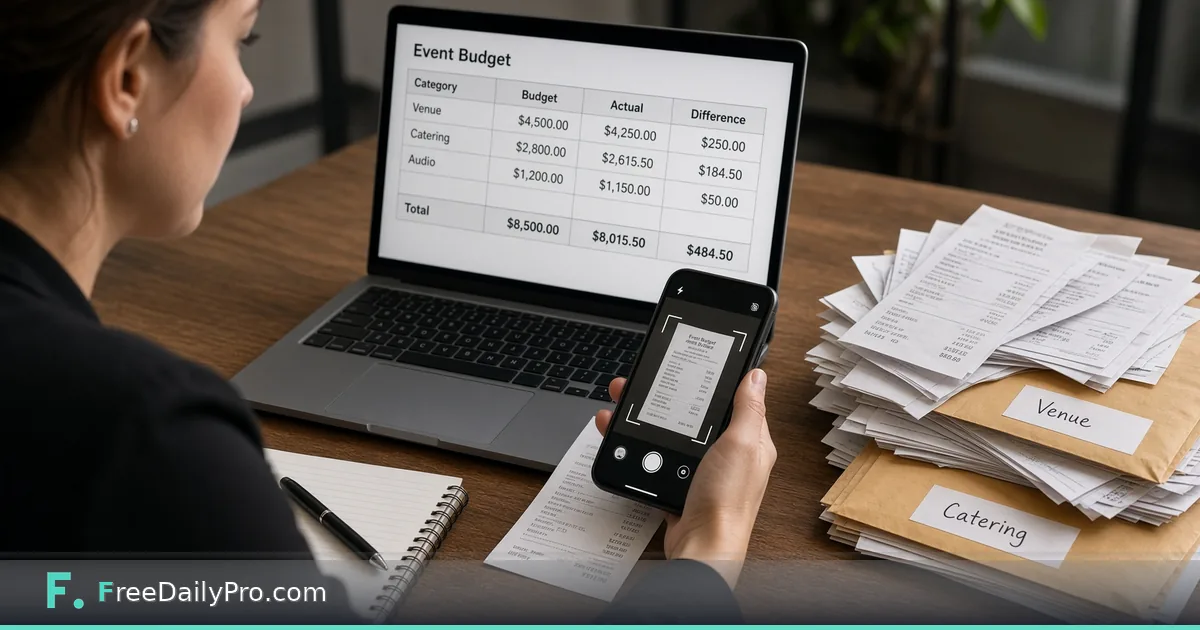
Capture Event Receipts Against the Budget Line
Use Expense Capture Sheet to log receipts as expenses, compare them to budget lines and view a profit summary.
Small receipts vanish into pockets until the post-event reconcilation, and that is usually why an otherwise careful event finishes over budget. Expense Capture Sheet captures receipts as expenses, compares them with budget lines in the same project, and shows a profit statement with income, costs by category and region-neutral tax lines such as sales tax, VAT or GST.
This guide covers one job only: log each receipt the same day, map it to a budget line, and leave with a profit summary you can send to a client or board. Build the budget in Event Budget Planner, keep tasks in Event Checklist Planner, and issue client bills with Invoice Generator. Category: event tools.
Capture while the paper is still warm
Paste receipt text or read a photo in the browser. The tool finds vendor, date, total and currency and adds an expense you can correct. Receipts are not uploaded to FreeDailyPro servers for storage; reading happens in the browser. Photo reading depends on picture quality—always check the parsed amount before you trust a line. Expenses sit in the same project the budget planner uses, so spending appears against each budget line instead of in a disconnected notebook.
Worked example: two-day workshop, Denver
Sam runs a two-day professional workshop for 40 attendees in Denver. Budget lines already exist for venue, catering, printing and AV. During day one Sam photographs the coffee service receipt and the badge printing invoice; both land as expenses under the right categories. On day two a last-minute microphone rental is pasted from an email receipt. The profit statement shows income from ticket sales already entered, costs by category, a sales-tax line and the result in USD. Sam exports the summary for the client within an hour of doors closing. The project is erased when the tab closes unless Sam saves the project file.
Steps on Expense Capture Sheet
- Open Expense Capture Sheet.
- Open or create the event project that already holds the budget lines.
- Paste receipt text or photograph a paper receipt as the page allows.
- Correct vendor, date, total and currency if the parse missed anything.
- Assign the expense to the matching budget line.
- Repeat for each receipt the same day it is spent.
- Review the profit statement: income, costs by category, tax lines, result.
- Save the project file to your device before you leave the venue Wi-Fi.
- Export or copy the summary for the client or finance owner.
- Archive the project file with the final invoices and bank exports.
Common mistakes
- Waiting until Monday to photograph a stack of faded thermal receipts.
- Leaving every expense in an “uncategorised” bucket so budget variance is meaningless.
- Trusting a blurry photo total without reading the printed figure.
- Treating the profit statement as filed tax accounts—it is planning information, not accounting software.
- Sharing a project file that also holds pass keys or door secrets with people who only need the expense summary.
Limits and good to know
Expense Capture Sheet is not bookkeeping software and does not file taxes. Currency is flexible with region-neutral tax labels. Among FreeDailyPro’s 300+ professional tools, premium applications and workflow products it pairs naturally with the event budget tools. Exports that meter usage follow the site allowance—2 trial usages for work like expense capture sheet, then day pass or monthly options if you continue. Re-read the live page for current privacy wording.
Edge cases
If two staff capture the same receipt, mark one as the owner of the project file to avoid double counting. If a vendor invoices later for a deposit already captured, reconcile by editing the expense rather than adding a second full amount. Multi-currency events need one reporting currency on the statement—convert carefully and note the rate used in the project notes.
Communication template
When you send the profit summary, write: event dates, reporting currency, which receipts are still outstanding, and whether tax lines are estimates or confirmed. That paragraph saves a finance call.
Same-day capture beats weekend archaeology
Thermal receipts fade. Card alerts bury themselves in banking apps. The only reliable habit is a five-minute capture block at lunch and another after the last vendor leaves. Put the phone camera on the receipt while the ink is dark, confirm the parsed total aloud, and only then file the paper in a day envelope. If the photo is unreadable, type the total manually—the tool allows correction—and mark the line “hand entered” in the vendor field so finance knows why no image exists.
Teams that wait until Monday routinely lose 3–8% of small spends: tips, parking, coffee services, tape runs. Those lines are exactly what push an event from “on budget” to “explain this variance.” Capture is cheaper than the post-mortem meeting.
Client-billable versus internal costs
Tag or name expenses so billable lines are obvious when you build the client invoice later. Soft costs like staff meals may be internal only. The profit statement should match the story you will tell the client: which costs they fund, which you absorb. Align categories with Event Budget Planner before the event starts so capture does not invent new buckets on day two.
Next step
Budget truth lives in the receipts you capture today, not the ones you meant to log next week. Open Expense Capture Sheet, log the next receipt against its budget line, and keep the profit statement honest.
Would a faster multi-currency receipt view or a vendor-duplicate warning help your events more? Write to FreeDailyPro via contact.