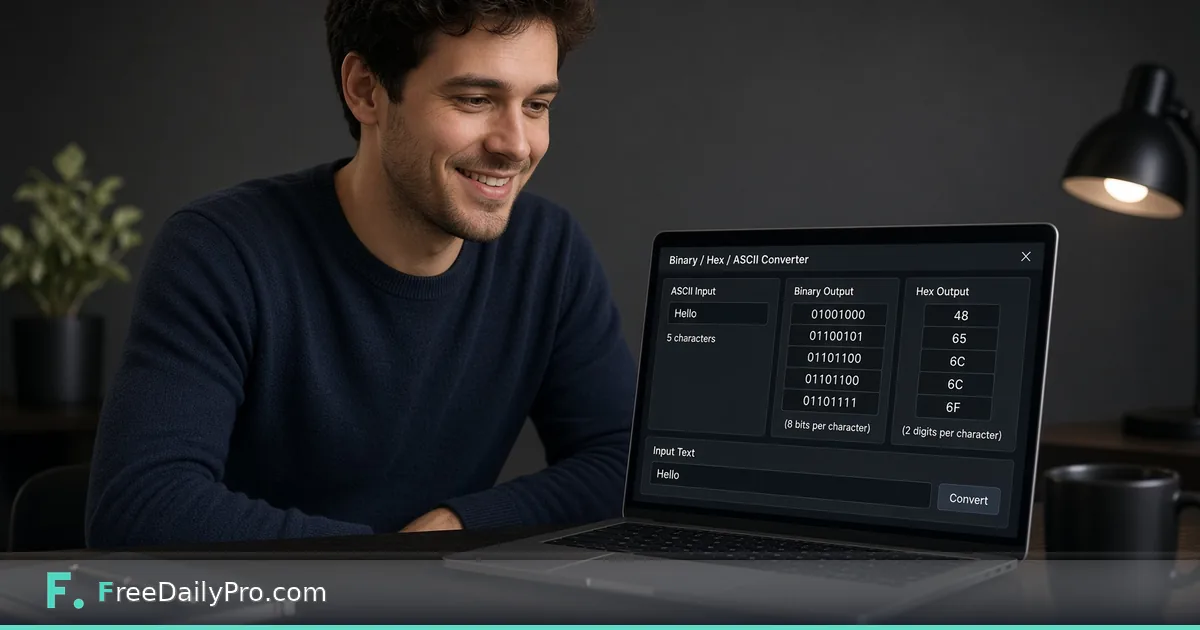
Convert Binary and ASCII for Homework and Debug Checks
Convert between binary and ASCII for study and light debugging. Step-by-step checks plus related hash and JSON tools.
A homework prompt asks for the binary form of a short string, or a log shows bits that should be readable text. You want a quick, visible conversion—not a full programming environment.

Quick answer
Use Binary ASCII Converter to move between text and binary representations as the tool presents on its page. Cross-check important results. Use Hash Generator when you need fingerprints, not encodings. Use JSON Formatter when the payload is structured data rather than raw binary text exercises.
Encoding mindset
ASCII maps characters to numbers; binary is one way to show those numbers. Spaces, endianness talk, and grouping into 8-bit chunks matter. If your class handout groups bits differently, match that convention. Control characters and line breaks can surprise you. Copy carefully from the assignment PDF so you do not introduce extra spaces.
Numbered workflow
- Copy the exact string or bit groups from the assignment or log.
- Open Binary ASCII Converter.
- Convert in the direction you need; keep original input in a note.
- Verify one character by hand (for example letter A) so you trust the session.
- If the real task is whether a file changed, hash with Hash Generator instead of encoding.
- If the paste is JSON, format it with JSON Formatter rather than treating it as binary homework.
Categories: security tools and text tools when related.
Study tips that prevent wrong answers
Work a tiny known example first. Convert back and forth once. Only then paste the full homework string. If the round trip fails, fix grouping before you chase higher-level theories. When labs ask for both binary and hex, treat them as separate representations. Do not assume the converter output format matches the grader expected spacing without checking the syllabus.
Common mistakes
- Dropping leading zeros in bit groups.
- Mixing UTF-8 multi-byte characters with pure ASCII assumptions.
- Treating encoding tools as encryption.
- Pasting secrets into any online tool when policy forbids it—use local methods for confidential data.
- Submitting binary without the grouping the instructor requested.
- Confusing Base64 with binary ASCII exercises.
Mini case
A student converts a two-letter sample to binary for a worksheet, then converts back to confirm. They show both directions in the submission. Separately, they hash a project ZIP with Hash Generator for the integrity question on the same quiz—two different tools, two different jobs.
A junior developer peeks at a mislabeled debug string, confirms it is plain ASCII text, then moves the real investigation into logs—not deeper encoding rabbit holes.
FAQ for students and juniors
Is this the same as Base64? No. Base64 is a different encoding. Use the correct tool for Base64 tasks.
Why do my bits not match a friend? Spacing, group size, and extra spaces from PDF copy-paste. Agree on 8-bit groups and compare character by character.
Can I convert whole essays? You can, but homework usually wants short samples. Huge pastes are hard to grade and easy to mistype.
Security class tip? Encoding is not secrecy. Anyone with the same converter can reverse simple ASCII binary. Use real cryptography lessons for confidentiality topics.
Honest limits
This is a learning and light debug utility among 200+ professional tools. It is not a full hex editor or protocol analyzer. 10 trial usages a day; heavier use may need $1 day or $4.99 month access.
Step-by-step 15-minute class segment
- Project Binary ASCII Converter.
- Type
Catand display binary and hex. - Change to
catand ask what students notice before revealing the output. - Type a space and a punctuation mark to show those have codes too.
- Hash
Catwith Hash Generator and stress that hashing is not the same as encoding. - Show a two-key JSON sample in JSON Formatter as “structured text you will see in APIs.”
Homework that does not require installs
Students use any browser at home or in the library. They convert three words, paste outputs into a paper worksheet, and write two sentences on why upper and lower case differ. No account farm required for the learning goal.
Cross-subject links
Art classes can discuss pixel and color codes later; this lesson stays on text. History classes can mention early telegraph codes as human ancestors of binary thinking without overstating the analogy. Keep the science accurate and the tone curious.
Classroom lab structure
Teachers can publish the allowed bit grouping on the board before students open any tool. Require a round-trip proof for one character. That single habit cuts half of grading disputes.
Students should paste results into their lab sheet as plain text, not only as a screenshot, so graders can copy values.
Debugging mental model
If a protocol message looks like binary noise, first ask whether it is compressed, encrypted, or simply the wrong view. Encoding conversion helps only when the bytes are actually text in disguise. Hashing helps when you care about identity of a blob, not its readable form. JSON formatting helps when structure is text with braces—not when it is raw binary frames.
Office-safe use
Never paste production secrets, session tokens, or customer payloads into any converter to "see what it is." Use approved internal tools and redacted samples. For public homework strings, converters are appropriate.
Related practice problems
Try converting a short name, a punctuation-heavy password-like string (for class only), and a string with a space. Compare outputs. Notice how spaces become visible in binary grouping. That exercise teaches more than a long essay conversion.
Extra worked example
A CS0 lab gives five short strings. Students convert to binary with Binary ASCII Converter, convert back, and submit both. A second question asks for a SHA hash of their answer file using Hash Generator. A third pastes a broken JSON error and cleans it with JSON Formatter. Three tools, three learning goals, no confusion between encoding, hashing, and formatting.
Mistakes teachers should avoid
Do not claim the converter proves a particular CPU architecture. Do not equate hex with secret codes. Do not skip the moment where one character change alters the bit pattern — that is the learning payoff. Do not flood the projector with a whole paragraph of binary; use short words.
Student misconceptions to surface
Some students think spaces are “nothing” and have no code. Show a space. Some think longer words always mean “stronger security.” Separate encoding length from password strength, then show Password Generator only if your syllabus includes that later week — or keep the hash demo with Hash Generator to stay on fingerprints.
Club and after-school format
A coding club can run the same demo in five minutes as a warm-up, then build paper challenges: decode a short hex message prepared by the teacher. Keep challenges playful and age-appropriate. No offensive strings.
Department sharing
Save a one-page teacher note: link to Binary ASCII Converter, three sample words, and the hash extension. Share it with colleagues so every class does not reinvent the demo. Point advanced students toward JSON Formatter when they start API clubs.
Standards alignment without paperwork bloat
You can mention that the lesson supports computational thinking and representation of data without turning the hour into standards reading time. Keep students on the bits.
Closing next step
Convert one short sample both ways in Binary ASCII Converter and keep a note of the verified pair for your records.
What conversion still confuses your class or team—grouping, Unicode, or when to hash instead? Send the question through contact.