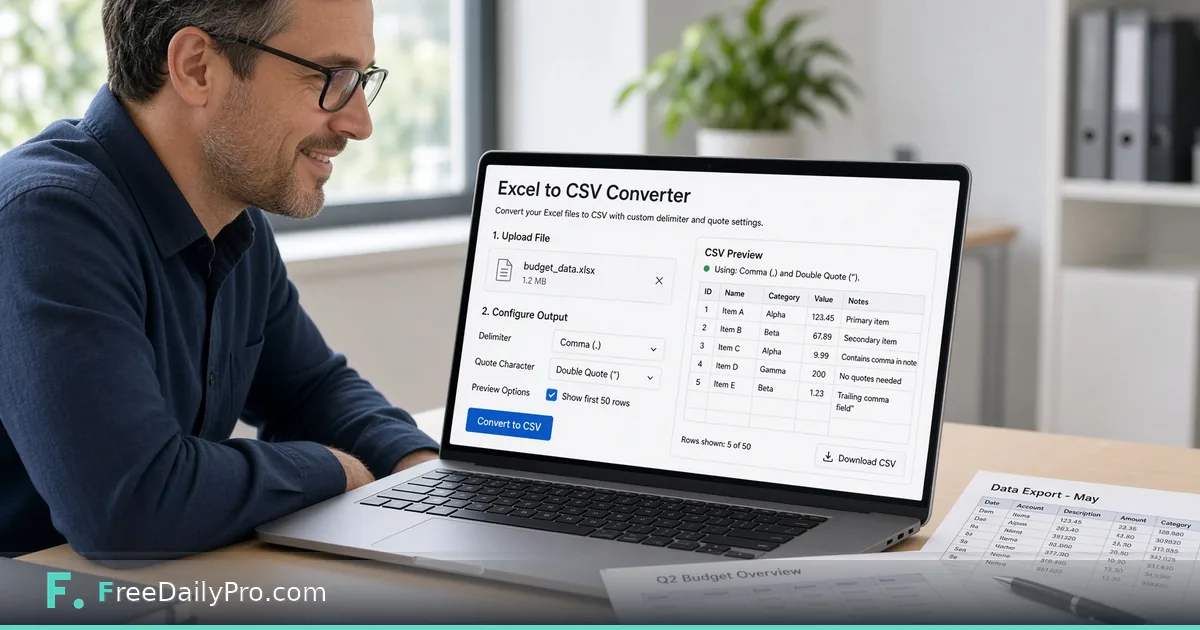
Convert a Spreadsheet Export When the Columns Arrive Wrong
Convert and clean CSV exports for imports. Delimiters, encoding, row checks, and a full worked import path.
Inventory tools expect commas and UTF-8. Accounting exports sometimes arrive with semicolons and a byte-order mark. CSV Converter is the bridge when columns refuse to line up and the importer blames “column 4” without saying why.
The clip below shows spreadsheet and CSV conversion patterns.

Symptoms of a bad export
Column 4 swallows two fields. Headers shift right. Leading zeros on ZIP or SKU codes vanish after someone “helped” by opening the file in Excel and saving again. Row counts in the importer disagree with the source system. Accented names become mojibake. A quoted address that contains a comma splits into two cells and everything to the right slides.
Diagnose before you convert
Open a raw preview. Confirm delimiter (comma, semicolon, tab). Confirm whether row 1 is header. Spot-check a quoted field that contains a comma. Note the destination’s documented dialect, including encoding.
Then convert toward that dialect with CSV Converter. Validate that row counts match. For identity after the final file is ready, Hash Generator records a digest both teams can share. If two text exports should match, Diff Checker shows line drift. API payloads that need pretty JSON use JSON Formatter—a different path than CSV.
Category: file tools. File workflows include 10 trial usages a day—dry-run ten rows first so each convert is intentional.
Import path with numbers
Source export: 1,842 data rows, semicolon separated, European locale. Destination: comma CSV, UTF-8, header required. After conversion, 1,842 rows still present. Importer stops failing on column 4. You hash the final file and paste the digest into the ticket.
Dry-run: import 10 rows to a staging list, verify SKU and price, then run full. If the dry-run shows a price of 19.99 turned into 1999, stop—locale decimal rules need a fix before full load.
Encoding and locale landmines
BOM marks confuse some importers. Line endings differ by OS. Excel locale changes separators. Quoted commas break naive splits. Always keep a pristine source export that nobody opens in a spreadsheet GUI. If someone already “fixed” the file in Excel, request a fresh export from the source system.
Extended checklist for messy vendor files
Ask the vendor which delimiter they intend. Reject files that mix tabs and commas in one sheet. Document the conversion date and tool on the ticket. Keep sample bad rows for regression next month. Never overwrite the only raw export. Store the mapping sheet next to the files so next week’s operator is not guessing.
Mistakes
Opening CSV in Excel and re-saving (leading zeros die). Assuming headers match destination names without a mapping sheet. Full import without a ten-row dry run. Treating TSV and CSV as interchangeable. Deleting the raw file after a “successful” convert that only looked successful in a text editor.
Limits
CSV Converter reshapes tabular text. It does not map product IDs or fix business logic. FreeDailyPro includes it among 200+ professional tools.
FAQ
TSV vs CSV? Match the destination docs.
Leading zeros? Verify sample IDs after convert; use text-safe export paths upstream.
When to hash? After the final convert both teams will load.
Huge files? Split by date batches if the importer times out—conversion does not remove destination limits.
Can conversion fix wrong business codes? No—wrong SKUs stay wrong; only the shape of the table changes.
Extra scenario: weekly catalog drop
Every Monday a supplier drops a semicolon file by 9 a.m. Your job is comma UTF-8 by 10 a.m. Save a small script of human steps: download, convert, dry-run 10, full import, hash, ticket note. The tool is the middle step; the checklist is the product.
When the supplier adds a column without warning, the dry-run fails loudly on purpose. That is success—better than silent mis-priced SKUs.
Column mapping sheet
Maintain a simple map: source header → destination header → notes. Conversion fixes delimiters; it does not rename columns for you. After convert, reorder or rename per map before import. Keep the map in version control or a shared drive with a date.
Leading zeros playbook
Postal codes, account ids, and some SKUs need text treatment. Confirm after convert by opening in a raw viewer, not only in Excel. If zeros die, fix upstream export options. Add three sample IDs with leading zeros to every dry-run checklist so the failure is obvious.
Vendor change control
When a vendor adds a column, your dry-run should fail. Update the map, then proceed. Silent success with shifted columns is worse than a loud failure. Ask vendors for a changelog email when schema changes; even a one-line notice saves hours.
Scheduling
If weekly drops arrive Monday 9 a.m., block 9:00–9:20 for convert + dry-run every week. Tools fail when people rush between meetings. Put the block on the calendar with the supplier name in the title.
Security of data files
Treat customer CSVs as sensitive. Convert on a machine that follows your data policy. Do not leave exports in public download folders. Wipe staging files per retention rules after successful import and hash logging.
Multiple sheets
Workbooks with many sheets need an explicit choice of which sheet becomes CSV. Export the correct sheet first, then convert dialects if required. Importing the wrong sheet is a data incident that looks like a delimiter problem until someone reads the headers.
Reconciliation
After full import, compare row counts and a checksum of key columns when possible. Hash Generator on the final CSV gives both teams a shared fingerprint. If counts match but a sample SKU price does not, investigate mapping and locale before blaming the converter.
Nulls and empty fields
Some systems want empty fields; others want explicit NULL tokens. After delimiter conversion, sample empty columns. A convert step will not invent business null rules—you must align with the destination docs. Write the null rule on the mapping sheet.
Time zones in timestamps
CSV date fields without time zones cause off-by-one-day bugs. Conversion of delimiters will not fix semantics. Document the expected timezone in the mapping sheet when timestamps matter. Prefer ISO-like strings when both sides can accept them.
Mini case: 12 supplier files
Month end brings 12 supplier CSVs with three delimiters. Convert each to the company standard, dry-run, hash, import. A checklist on the wall beats heroics. CSV Converter is step two of six—still the step that unblocks the importer when column 4 keeps swallowing fields.
Mini case: inventory cutover weekend
A cutover weekend imports 40,000 rows. You convert in batches of 5,000, dry-run each batch, hash each batch file, and only then load. One batch fails encoding. You fix and re-convert that batch alone. Batching turns a blackout into a contained repair.
Closing next step
Convert one real problem export with CSV Converter, dry-run ten rows, then full import only after column 4 looks right.
Which import still rejects your CSV—and what error text appears? Send it via the contact page.