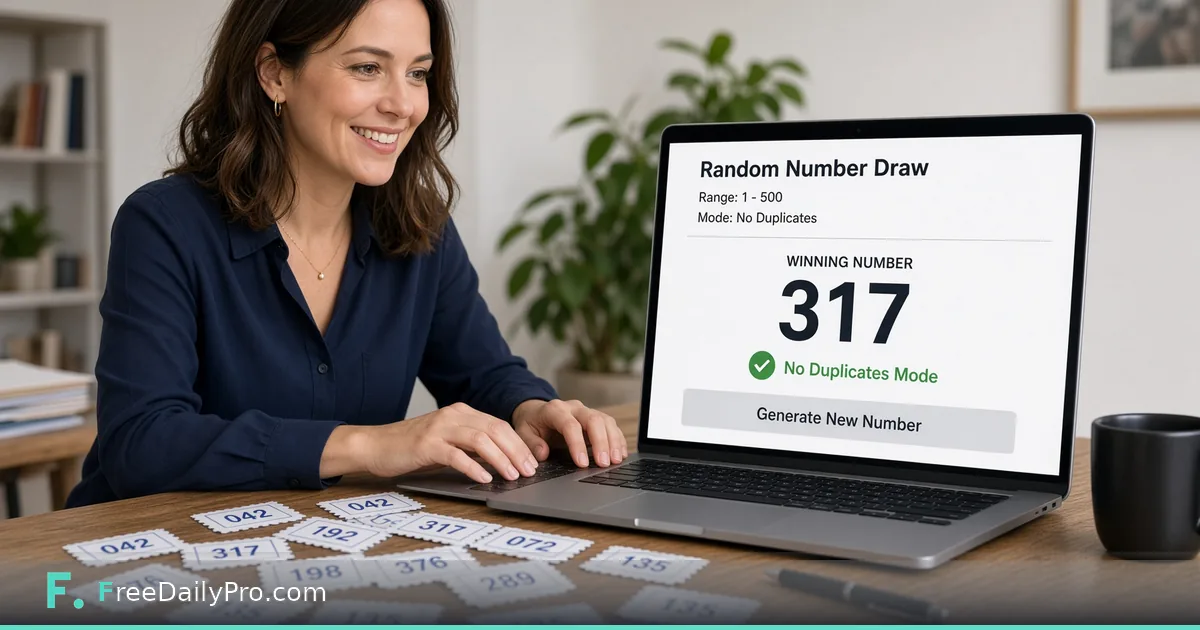
Run Fair Raffles and Classroom Draws With a Number Range
Run fair raffles and classroom draws with a browser random number generator and a clear range.
Paper slips stick together. A helper peeks while shuffling. Someone claims the hat was not mixed fairly. Numbered tickets and a single number on a shared screen settle more rooms with less drama — if the range is clear and the process is honest.
Quick answer: open FreeDailyPro’s Random Number Generator, set the inclusive range that matches your tickets or roster, generate once, display the result, and write it on the board. For teaching moments about secrets and fingerprints later, pair demos with Password Generator and Hash Generator.

When paper draws get messy
Slips clump. Names fall out. A volunteer re-draws because that number felt wrong. Visible process beats private process. Put the min and max on the board before anyone clicks. Let the class see the tool screen. Generate once. Do not silently re-roll until you like the outcome.
This is for classrooms, office potlucks, game nights, and informal raffles — not certified public lotteries or cryptographic key generation for security products.
How to run a fair draw
- Number participants or tickets from 1 to N (or any contiguous range you publish).
- Open Random Number Generator and set that range.
- Confirm the range out loud.
- Generate once and display the result on a projector or shared laptop.
- Write the number on the board with the time of the draw.
- If you need draws without replacement, track used numbers on a visible list and shrink the range or skip used values honestly — never hide a re-roll.
- For multi-winner raffles, announce whether repeats are allowed before you start.
FreeDailyPro offers 200+ professional tools in one place. Non-file utilities like this generator sit alongside calculators and converters under a simple browser workflow. Where file tools apply a daily trial, the site documents 10 trial usages a day, then $1 day pass or $4.99 monthly options.
Classroom tips that reduce arguments
Explain the range before generate. Invite a student to click when age-appropriate. Keep the UI simple so the lesson stays about fairness, not fighting settings. Connect the idea later: passwords need unpredictable strings (Password Generator), and hashes fingerprint data without revealing it (Hash Generator).
For tech clubs, show that changing the range changes possible outcomes. For math classes, discuss uniform ranges in plain language without pretending a browser demo is a full probability course. Ask students to predict how often a number might repeat across many draws, then test with a small experiment on the board.
Party and office uses
Door prizes with numbered tickets. Picking who presents first. Breaking ties when two teams finish equally. Assigning random discussion partners. Always publish the mapping: ticket 17 means which person or prize.
If multiple winners are needed, decide the order of draws before you start. Record each result. Photograph the board if trust is low in a large group. For remote hybrid meetings, share the browser window so remote attendees see the same click as people in the room.
Common mistakes
- Generating privately and only announcing a lucky number.
- Changing min/max after people already bought tickets.
- Re-rolling until a friend’s number appears.
- Using the tool as a cryptographic random source for production secrets.
- Forgetting to exclude staff or hosts when rules say so.
- Overlapping ranges when two raffles run the same night.
- Starting ticket numbers at 0 while the range starts at 1 without telling anyone.
Honest limits
Browser randomness is fine for parties and classrooms. It is not a state lottery system. It is not a substitute for hardware random modules in high-stakes security design. Do not use it to fake an outcome you already chose.
Sample scripts you can read aloud
Raffle: Tickets are 1 through 120. The generator is set 1 to 120. One click. The number is 47. Ticket 47 wins the gift card.
Classroom: Names are numbered 1 to 28 on the roster. Range is 1–28. Student A clicks. We get 12. Person 12 answers first.
Game night: Player order: range 1–6 for six seats. We generate six times without replacement using the board list.
Without-replacement workflow
Write numbers 1–N in a column. Cross off winners as you go. Either re-set the range to remaining tickets only, or keep the full range and re-generate when a crossed number appears — both are fine if the rule is public. The second method is slower but needs less reconfiguration mid-event.
Related tools for deeper demos
After a fair draw unit, show how Password Generator builds strong strings, then how Hash Generator turns text into a fixed fingerprint. Keep each demo short. One idea per slide works better than three tools at once.
Browse converters and multitool apps when you need other everyday utilities in the same browser tab habit.
Process checklist for hosts
Print or post the rules. Number tickets in advance. Test the range once with a dummy draw before guests arrive. Use a second person to witness if prizes are valuable. Store unused tickets. Announce how disputes are resolved (usually: the number on the board wins). Keep a photo of the final board for a week if prizes ship later.
FAQ for fair draws
Is browser random good enough for a classroom? For ordinary grouping and demos, yes if the range and process are public. For regulated lotteries, use the required official process instead.
Can I generate decimals? Use the controls on the live tool page. If you only see integers, scale a larger integer range and divide offline with a documented method.
How do I audit a past draw? Save a note with timestamp, range, and result. Optional: store the note file and fingerprint it with Hash Generator.
What about seeding? Most everyday UIs do not expose seeds. Treat each click as a new draw and document what you needed.
Closing next step
Open Random Number Generator, set a real range for your next raffle or class, generate once on a shared screen, and record the result where everyone can see it.
FAQ for teachers and event hosts
Can students see the algorithm? They see the range and the result. That is enough for fairness teaching at most grade levels. Deeper computer science courses will discuss pseudorandom generators separately.
What if two people share a ticket number by mistake? Stop the draw, fix the ticket list, announce the correction, then generate again with the corrected range.
Can I use decimals? Most draws want whole numbers. Stick to integers for tickets and rosters unless your game rules clearly need a decimal range.
Is refreshing the page cheating? Refreshing does nothing wrong if you have not announced a result yet. After a result is on the board, the draw is finished.
Do I need an account? For this kind of utility, work in the browser as the tool page allows. File-heavy tools on the site document 10 trial usages a day; this generator is a simple converter-style utility in the broader set of 200+ professional tools.
What draw format do you still find hard to run fairly — without-replacement multi-winners, weighted tickets, or remote participants? Write us at contact.