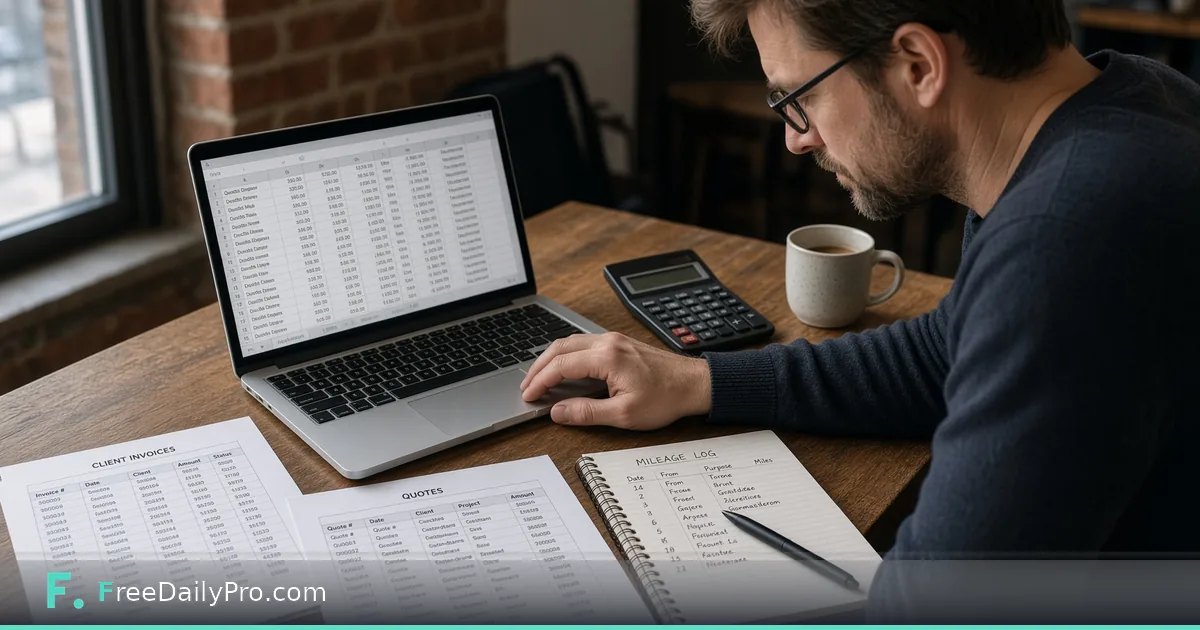
Quote, Invoice and Mileage for a Solo Client Job
Track proposals, invoices, expenses and mileage for every client, then export a client packet ZIP or year-end CSV from your browser.
Sam Ortiz is a solo operations consultant in Denver, Colorado. He writes proposals on Monday, invoices on Friday, and tries to remember mileage in December. Freelancer Desk is the workflow product that keeps a client list, a document ledger of what you sent to whom with status and due dates, expenses and mileage, a client packet ZIP, and a year-end CSV.
The desk does not replace the document makers
Invoice, proposal, contract, and receipt apps still make the documents. The Desk keeps the ledger of what you sent, its status, and due date, then builds packets and the year-end file. Use Invoice Generator and Quote Generator to create the PDFs, then register each send in Freelancer Desk. Shipping Cost Estimator helps when a physical deliverable has outbound cost you need in expenses.
Browse business tools for related one-off makers.
Worked example: Client “Brightline Ops” discovery month
- Freelancer: Sam Ortiz
- Client: Brightline Ops (repeat)
- Documents this month: proposal PDF, signed contract note, invoice #1042 for $4,800
- Mileage: 86 miles across three site visits at the rate Sam enters (not tax advice)
- Expenses: software pass-through $120
- Outputs: client packet ZIP for Brightline; year-end CSV rows for his bookkeeper
Done means every sent document has a ledger row, paid status is correct, and mileage is entered with the rate he actually uses with his adviser.
Steps in Freelancer Desk
- Open Freelancer Desk and load your Business Profile or a saved project.
- Add the client with the name you put on invoices.
- Each time you send a proposal, contract, invoice, or receipt, add a ledger entry with status and due date.
- Mark entries paid or accepted when the client responds—do not leave “sent” forever.
- Add expenses and mileage as they happen. Mileage totals use the rates in your rate table; confirm the current rate and rules with your tax adviser. This desk is not tax advice.
- For repeat clients, duplicate an entry or set it to repeat (weekly, monthly, quarterly or yearly) so the next period starts as a draft with its dates already set.
- Press Client packet when you need a ZIP for that client: a statement PDF, the ledger as a CSV and a CSV of what is still owed, with a manifest. Press Year-end CSV when your bookkeeper wants a flat file.
- Save the project on your device. Client data is not stored on FreeDailyPro servers.
Year-end without the shoebox
December Sam used to export three tools and retype dates. Now the year-end CSV is a desk action after eleven months of boring, consistent ledger rows. The quality of December is decided in March.
Common mistakes solo operators make
- Creating invoices in a maker and never logging them on the desk.
- Entering mileage in bulk from memory in April.
- Treating the desk as a tax engine. It totals what you type; advisers still decide deductibility.
- Skipping save and losing the only copy of client status.
- Expecting the desk to e-mail clients or chase late invoices automatically.
Limits and good to know
- Freelancer Desk is $29.99 a month with a 7-day trial the first time. Cancel any time; access lasts through the paid month.
- Document PDFs still come from the invoice/quote/contract makers.
- Not tax advice. Mileage uses the rates in your table.
- Project files stay on your device.
- FreeDailyPro offers 200+ professional tools; Professional tools separately show 10 trial usages a day and do not replace this subscription.
Status words Sam actually uses
The ledger offers draft, sent, accepted, signed, partial, paid, declined and void. Sam does not invent “almost paid” or “waiting on them.” When a client pays half an invoice, he records the payment on the entry and the status moves to partial until the balance is covered, then paid. A job that dies is marked declined or void, not left as sent. Clear status makes the year-end CSV usable for his bookkeeper without a two-hour clean-up, and it keeps the overdue list honest.
Weekly 20-minute close
Friday: open the desk, add any unsent ledger gaps, mark paid invoices, enter mileage for the week, save. Monthly: client packet for anyone who needs a bundle. Yearly: CSV for the bookkeeper.
Mileage rate hygiene
The desk keeps a table of mileage rates in cents per mile, each with the date it starts, and totals miles against it. Sam checks the figures with his adviser, and when a new rate applies he adds a new row with its start date instead of rewriting the old one, so earlier trips keep the rate that applied then. The desk does not decide which rate you may claim.
Client packet contents
A client packet ZIP is not every file Sam ever made. For one client it holds a statement PDF, the ledger as a CSV, a CSV of what is still owed, and a manifest that lists each file with its checksum. The proposal and invoice PDFs themselves stay in his own folder, because the desk logs documents rather than storing them. He attaches those separately when the client needs them.
FAQ
Does Freelancer Desk create invoices? The invoice and quote makers create the PDFs. The desk logs what you sent, status, and due dates, then builds packets and year-end CSV.
Is this tax advice? No. Confirm rates and deductibility with your tax adviser.
Where is client data stored? In a project file on your device. Nothing is stored on FreeDailyPro servers.
Status hygiene on every send
Sam’s ledger rule is simple: the day a PDF leaves his outbox, a row exists with status and due date. “Sent” is temporary. When the client accepts a proposal, he marks accepted the same day. When an invoice is paid, he marks paid the same day. Leaving rows in “sent” for months is how December becomes archaeology.
Repeat clients get duplicated rows or a repeat setting so the next period starts as a draft with dates already sketched. He still reviews every new invoice number before it goes out; duplication is a starting point, not a blind copy of last month’s numbers.
Expenses that belong with the client
Pass-through software, courier fees, and shipping on physical deliverables go on an expense line tied to that client and marked billable. Sam uses Shipping Cost Estimator when he needs a quick outbound estimate before he commits a number on the invoice. Internal tools he would buy anyway are left unmarked.
Bookkeeper hand-off without drama
The year-end CSV is only as good as eleven months of boring entries. Sam’s bookkeeper receives one flat file and a short note about mileage rate used. The desk does not convert currencies and does not decide deductibility. That boundary keeps Sam from pretending the desk is accounting software.
Scenario: late invoice, clear ledger
A client pays invoice #1042 fourteen days late. Sam marks it paid on the day the transfer lands, leaves the original due date intact, and adds a short note on the row. He does not rewrite history to make the year look cleaner. When the bookkeeper asks about the gap, the row tells the story.
When not to use Freelancer Desk
If you need automated payment collection, multi-user accounting, or tax filing, use proper accounting software. Freelancer Desk is for the solo operator who needs a client list, a send ledger, expenses, mileage, packets, and a year-end export without uploading client files to a vendor.
Proposal to invoice without losing the thread
When a proposal converts, Sam does not delete the proposal row. He adds the invoice row and links them in the notes field with the proposal id. That way a dispute six months later still shows what was proposed versus what was billed. The client statement then shows the invoice and what is still owed.
FAQ (expanded)
Does the desk e-mail invoices for me? No. You send documents yourself. The desk logs what you sent and when it is due.
Can mileage rates change mid-year? Yes. Add a new rate row with its start date after you confirm the figure with your adviser. Earlier trips keep the rate that applied on their date.
What is in a client packet ZIP? A statement PDF, the ledger as a CSV, a CSV of what is still owed, and a manifest with checksums. The documents themselves are not stored in the desk.
Where should I save the project? On an encrypted drive you control, with a backup. FreeDailyPro does not store the project on a server for this desk.
Closing next step
A solo practice needs a ledger more than it needs a new notebook. Open Freelancer Desk, add one active client completely, and export one client packet before your next invoice goes out.
If you want a template for multi-currency freelancing next, contact https://www.freedailypro.com/contact.