Lease, Application and Notice for a Rental Unit
Keep US rental properties and tenants in one desk: rent ledger, receipts, notice dates, and a move-in or move-out packet ZIP.
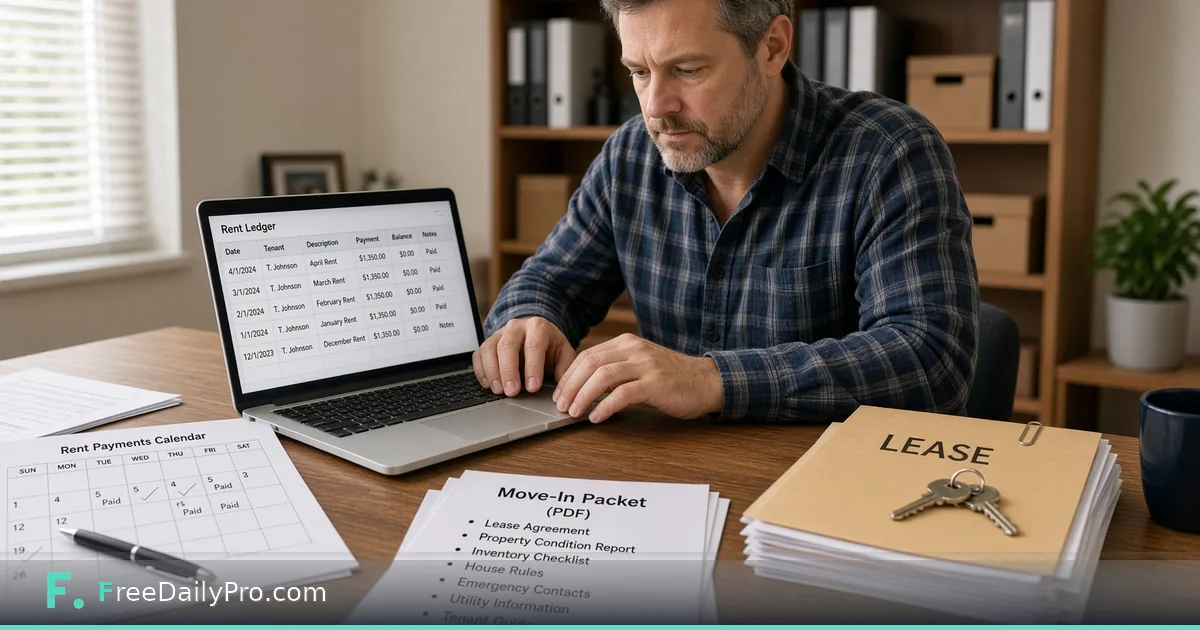
Carla Nguyen owns three small multi-family buildings in Sacramento, California. She used to track rent in a spreadsheet, notices in a calendar app, and move-in paperwork in a paper folder that never matched. Landlord Desk is the workflow product for US landlords that keeps property and tenant records, a rent ledger with receipts, a notice calendar, and a move-in or move-out packet ZIP—on your device, not as legal advice.
What the desk is—and is not
Landlord Desk is record-keeping for US rental practice: dollars, security deposits, and common US notice habits. It is not legal advice. Notice periods, deposit rules, and late-fee limits differ by state and city. Check the rules where the property sits, or ask a lawyer, before you rely on a date or a figure.
Related document tools still help for one-off forms. The desk does not draft a lease or an application, so use Rental Application Maker for the applicant form, Lease Agreement Generator when you need a draft agreement layout, and Invoice Generator when a tenant needs a standalone bill outside the desk receipt flow. Browse business tools for sibling office steps.
Worked example: Unit 2B, Oak Street duplex
- Landlord: Carla Nguyen
- Property: 814 Oak Street, Sacramento, CA (two units)
- Tenant on 2B: T. Johnson
- Rent: $1,350 due on the first
- Deposit on file: recorded in the tenant card
- Need this week: April rent receipt, calendar mark for a 30-day item she must act on, and a move-in packet ZIP for a new applicant on 1A
Done means ledger balance matches cash she actually received, and the packet list matches what she will put in the envelope.
Steps in Landlord Desk
- Open Landlord Desk and confirm plan access (monthly workflow product; 7-day trial the first time; cancel from the link under the tool).
- Add the property and its units with addresses you would put on a notice.
- Add each tenant with lease start and end dates, rent amount, and deposit figures.
- Record charges and payments in the ledger. Print or download a receipt for each payment you accept.
- Put action dates on the notice calendar—what you must do by which day—not wishes.
- Build a move-in or move-out packet ZIP when the unit turns. The packet holds a tenant sheet with lease and rent terms, a condition checklist to complete and sign, a statement of charges and payments, the tenant’s ledger as a CSV and every receipt you printed; a move-out packet adds a security deposit statement. Add your own lease and house rules separately.
- Save the project file on your device. Tenant details live in that file; nothing is stored on FreeDailyPro servers. Closing the tab clears the page if you did not save.
- Re-open next month from the saved file instead of rebuilding units from memory.
Receipts, calendar, packets
The ledger is the source of truth for who paid what. Receipts are evidence for the tenant and for you. The calendar is a local reminder surface—it does not e-mail or text tenants. The packet ZIP is the hand-off bundle for move-in or move-out day, not a court filing system. It does not draft the lease or the rental application; those come from the makers linked above.
Common mistakes landlords make in software
- Treating desk wording as a substitute for state notice forms.
- Skipping save, then losing tenant details when the tab closes.
- Recording rent as paid before the funds clear.
- Handing over a packet without adding your current house rules, because the desk does not write them.
- Expecting automatic reminders to tenants—the desk shows what is due soon; it does not send messages.
Limits and good to know
- Landlord Desk is $29.99 a month with a 7-day trial the first time. Cancel any time; access lasts through the paid month.
- Built for US rental practice. Ledger maths work anywhere, but packet wording is US-oriented.
- Not legal advice. Not a messaging platform.
- Files never stored on FreeDailyPro servers for this desk; your project file is yours to protect.
- FreeDailyPro also offers 200+ professional tools for adjacent document jobs.
Month-end routine
Carla’s close: open the ledger for each unit, match deposits to bank rows, issue any missing receipts, check the calendar for the next 14 days, and only then update her tax folder. When a unit turns, she builds a fresh packet from the current ledger instead of photocopying last year’s stack.
Deposit and late-fee notes without playing lawyer
Carla records deposit amounts and dates in the tenant card so she can answer “what did we collect?” in seconds. She does not let the desk invent lawful late-fee math for California or any other state. When a fee is allowed, she types the figure she already confirmed with counsel or a local association guide. The ledger stores the charge; it does not justify it.
Move-out day packet
For move-out she builds the packet ZIP before returning the deposit. It carries the condition checklist, the final statement, every receipt and the security deposit statement, and she adds her return-of-keys note by hand. She keeps a paper copy in the unit file cabinet as well—software is not a backup for a flood. The desk packet is the clean digital copy she can send when a tenant asks for their records.
FAQ
Does Landlord Desk send rent reminders to tenants? No. The calendar shows what is due soon. It does not send e-mail or text.
Is this legal advice? No. It is record-keeping for US landlords. Notice and deposit rules vary by place; verify before you act.
Where do tenant details live? In a project file on your device. Nothing is stored on FreeDailyPro servers. Save before you close the tab.
Closing next step
A rental file that only lives in your head will fail on turnover day. Open Landlord Desk, enter one property completely, and export one real receipt and one packet before the next first-of-month rush.
If you want a state-specific checklist layout next, ask at https://www.freedailypro.com/contact—and still verify local law before you use any date.