
Count or Add Business Days With Your Holidays
Use Business Days Calculator to count working days between dates or add working days for deadlines with your weekends and holidays.
Dana Ruiz quotes “ten business days” for a Tampa deliverable and needs a date that skips weekends and company holidays—not a vague calendar count. Business Days Calculator counts working days between two dates or adds working days to find a deadline, with your weekend definition and holidays you paste.
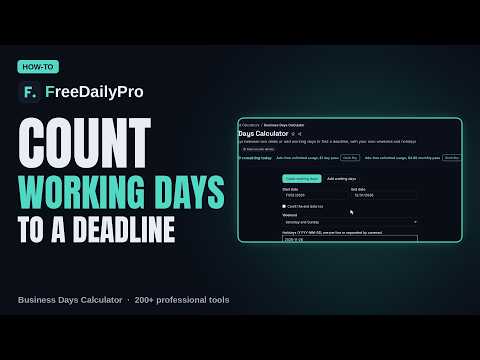
This guide covers one job only: produce a clear working-day result you can put in a contract email without ambiguity.
Count mode vs Add mode
- Count: working days between two dates. Start date is included and end date is not, unless you tick Count the end date too.
- Add: enter N working days; day one is the next working day after the start (per tool rules). Negative N goes backward.
Weekends: Saturday+Sunday, Friday+Saturday, Sunday only, or no weekend (7-day week). A holiday on a weekend day counts as weekend, not twice.
Holidays are yours to paste (YYYY-MM-DD, one per line or commas). The tool does not know every country’s public holidays.
Related: Age Calculator for age and simple date needs, Timezone Converter when the deadline is a meeting across zones. Category: converters.
Worked example: client SLA, Tampa FL
- Mode: Add 10 working days from 2026-10-22
- Weekend: Sat/Sun
- Holidays: company list including 2026-11-26, 2026-12-25, …
- Done definition: deadline date written in email with “business days, US office holidays listed”
Steps on Business Days Calculator
- Keep a year of holidays in a notes file for reuse.
- Open Business Days Calculator.
- Choose Count or Add.
- Enter dates / number of working days.
- Choose weekend pattern that matches the contract.
- Paste holidays.
- Decide whether the start day counts (Count mode) and say so in the client message.
- Copy the result into the quote or SOW.
- For reverse planning, use negative add to find the latest start date.
- Re-run if the holiday list or start date changes—do not reuse last quarter’s mental math.
Say the rule in the email
“Ten business days (Mon–Fri, excluding company holidays listed in Exhibit B), start date counted/not counted as agreed.” Ambiguity about the start day creates disputes. Decide before you quote.
Common mistakes
- Expecting automatic national holiday databases.
- Mixing calendar days and business days in the same paragraph.
- Ignoring regional holidays for remote teammates.
- Adding more than the tool’s limit (adding is limited to 10,000 working days).
- Counting hours or time zones in this tool—it does not.
Limits and good to know
- Dates calculated in the browser; nothing uploaded or kept.
- No public-holiday database, no half-days, no company shutdown models beyond the dates you enter.
- Among FreeDailyPro’s 300+ professional tools, premium applications and workflow products, this is the working-day counter/adder.
- For exact age or Y/M/D differences, use Age Calculator instead.
Holiday list hygiene
Dana stores holidays-2026-us-office.txt and pastes it every time. When a floating holiday is declared, she updates the file the same day so quotes stay consistent.
Project management use
Event countdowns, notice periods, payment terms, and lead times all improve when weekends are explicit. Put the calculator screenshot or result line in the project channel for auditability.
International vendors
When a vendor is in a country with different weekends, state whose calendar governs the SLA. Friday–Saturday weekends change the result of “five business days” dramatically.
Payroll and notice periods
HR notice math fails when holidays are omitted. Paste the full year list before you tell an employee a final date. Wrong dates create legal and goodwill problems.
Negative add for back-planning
If a launch is fixed on a Friday, add −15 working days to find the latest start for a 15-day task. That single reverse calc is worth more than a Gantt for small teams.
Contract language snippet
Suggested clause style: “Business days mean Monday through Friday excluding the holidays listed in Exhibit B; the start date is / is not included as stated in the order form.” Put the calculator result date next to that sentence so nobody re-derives it differently later.
Quarterly holiday update
Assign one person to refresh the holiday text file each quarter. Stale holiday lists are a silent source of missed deadlines.
Audit trail for finance
When payment terms are net-15 business days, finance may ask how you got the due date. Keep a one-line note: start date, holiday file version, weekend rule, result. That note ends arguments faster than reopening the calculator under pressure.
FAQ
Know my country’s holidays? No—paste the dates you skip.
Change weekend? Yes—several patterns including no weekend.
Count start date? Included by default in Count mode unless you change end-date options as labeled.
Two worked cases with year-end holidays
Take Monday 21 December 2026 to Monday 4 January 2027, with the weekend set to Saturday and Sunday and the holiday box holding 2026-12-25 and 2027-01-01. In Count mode, the start date is counted and the end date is not unless you tick the box. That gives 14 calendar days: 4 weekend days, 2 holidays skipped and 8 working days. If you want the share of the window that is working time, 8 of 14 is about 57 percent, and the Percentage Calculator will show that in one step.
In Add mode, the start day is never counted. Adding 5 working days to 21 December moves through the 22nd, 23rd and 24th, skips the 25th, then lands on the 28th and the 29th. The answer is Tuesday 29 December. A negative number walks backwards the same way, which suits planning from a fixed delivery date.
One edge case catches teams on non-standard work weeks: the weekend selector also offers Friday and Saturday, Sunday only, and no weekend at all. A holiday that falls on a weekend day is counted as a weekend day, not as a skipped holiday, so your holiday tally can look lower than your list.
Closing next step
Write deadlines in working days with a holiday list, not vibes. Open Business Days Calculator, paste holidays, and put the date in writing.
Need a notice-period template with start-day language? https://www.freedailypro.com/contact.