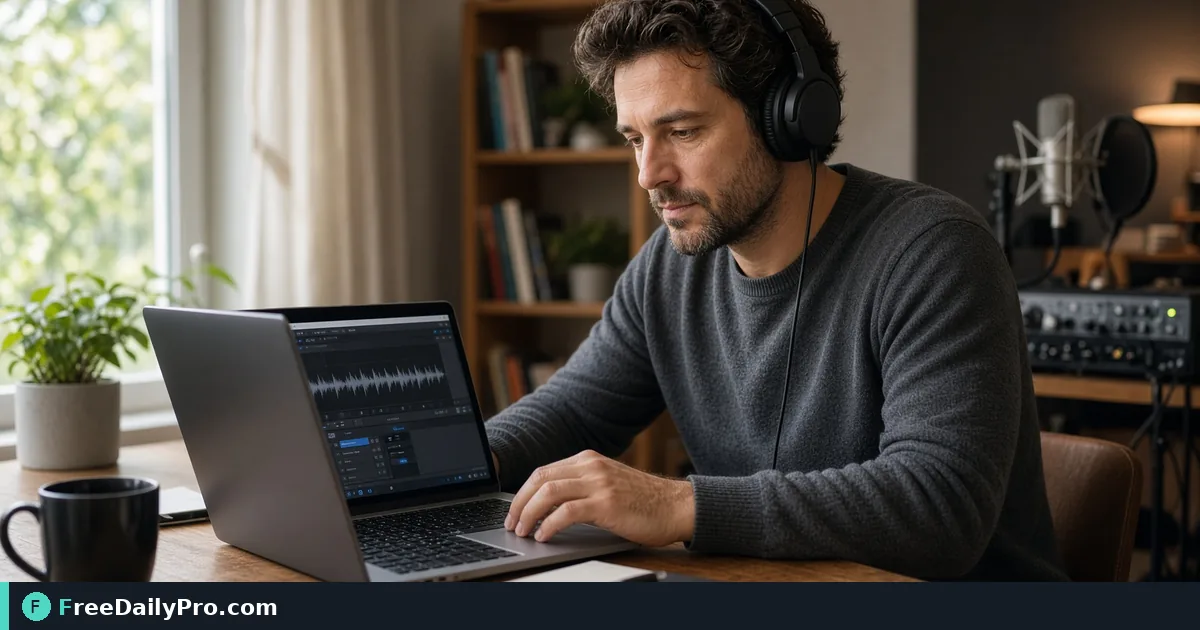
Check ACX Audiobook Levels Before You Upload
Use ACX Audiobook Checker to measure chapter loudness, peak, noise floor, sample rate, and MP3 bitrate against ACX audio numbers.
Sam Okonkwo is about to upload chapter files to ACX and does not want another rejection for loudness or bitrate. ACX Audiobook Checker measures a chapter (MP3 or WAV works best) against ACX audio numbers—loudness (RMS), peak, noise floor, sample rate, MP3 bit rate and constant bit rate, and length—then can fix and save a compliant MP3 for the measured limits.
This guide covers one job only: get the numbers in range, then still listen like ACX will.
Numbers pass is not a full ACX accept
A pass means the measured numbers are inside the limits. ACX also listens: opening, ending, room tone, noise, clipping, and quality a meter cannot judge. Treat a green table as “levels OK,” not “store will love the performance.”
Related: Audio Converter, Extract Audio, Audio Trimmer. Category: audio tools.
Worked example: chapter 3, Atlanta home studio
- Source:
Ch03_raw.wavthen export MP3 after fix if needed - Fail first pass: peak too high, noise floor fail after gain
- Fix: re-record quieter room or noise-reduce, then re-run
- Done definition: table passes; ears pass on headphones; file named for ACX upload
Steps on ACX Audiobook Checker
- Export one chapter file (MP3 or WAV). Keep masters separate.
- Open ACX Audiobook Checker.
- Drop the chapter (very large files, multi-GB, may stress browser memory).
- Read the results table for RMS, peak, noise floor, sample rate, bitrate/CBR, length.
- If levels fail, use Fix and download when the tool offers a corrected MP3 path for measurable issues.
- Re-drop the fixed file and confirm the table.
- Listen to the full chapter for room tone, breaths, and edit clicks.
- Check opening/ending silence and room tone against ACX’s current human rules.
- Upload only after numbers and ears agree.
- Archive the checked MP3 with chapter number and date.
Why noise floor can still fail after Fix
Changing volume raises or lowers noise with the voice. A noisy room is fixed at the recording or with a proper noise-reduction pass, then re-measured. Gain alone does not invent a quiet booth.
Common mistakes
- Assuming a meter pass equals ACX acceptance.
- Uploading without listening on decent headphones.
- Fixing one chapter’s levels and ignoring the rest of the book’s consistency.
- Feeding a 5 GB file on a tired laptop and refreshing mid-decode.
- Deleting the raw WAV after one “good enough” MP3.
Limits and good to know
- Decode, measure, and corrected MP3 build in the browser; recording is not uploaded to FreeDailyPro.
- Among FreeDailyPro’s 300+ professional tools, premium applications and workflow products, this is the ACX numbers preflight for chapters.
- File tools follow Professional Tools trial usage rules unless you hold a pass or plan.
- ACX requirements can change—confirm current help docs when in doubt.
Book-level consistency
Match loudness strategy across chapters so the listener does not ride the volume knob. After each chapter passes, spot-check a crossfade between chapter end and next start.
Studio handoff
If an editor delivers files, run the checker yourself before ACX. “They said it was fine” is not a measurement. Send the table screenshot back when something fails.
Peak vs loudness
Peak catches clipping risk; RMS/loudness catches overall energy. Fixing only peak with a limiter can still leave loudness out of range. Read every row in the table before you celebrate.
Sample rate and bitrate traps
Wrong sample rate or non-constant bitrate MP3s fail even when the performance is fine. After any convert step, re-run the checker so the delivery format still matches ACX numbers.
Rejection recovery
If ACX rejected for levels, download their note, re-measure the exact file you uploaded, fix, and keep a folder rejected_v1 vs resubmit_v2 so you never re-upload the wrong take.
Room tone discipline
Leave clean room tone at head and tail per current ACX guidance rather than abrupt digital silence that sounds fake. The checker will not grade “sounds natural,” but QC listeners will. Record thirty seconds of room tone once per session for edits.
Chapter length sanity
Very short or oddly long chapters can still pass levels. Use length as a production cue: if a “chapter” is three hours, split for listener UX even when ACX numbers pass.
Headphone vs speaker check
Do a final listen on headphones and once on small speakers. Mouth clicks and fridge hum hide differently. Levels tools do not replace that pass.
Naming for ACX
Title_Ch03_checkOK_2026-10-23.mp3 beats export.mp3. Include chapter number and date so resubmits never collide.
FAQ
Pass = ACX accept? No—numbers only; ACX also listens.
Is audio uploaded? No—browser-side measure/fix.
Noise still fails? Fix the room or noise-reduce, not only gain.
Reading the Fix plan with real numbers
Say chapter 5 measures RMS -26.8 dB, peak -9.5 dB, and noise floor -65 dB. The Fix button aims for an RMS of -20.5 dB, the middle of the -23 to -18 range, so it applies a gain of 6.3 dB. That moves the peak to -3.2 dB, above the tool's -3.4 dB ceiling, so a limiter is added. It also pushes the noise floor to about -58.7 dB, past the -60 dB limit, and the tool warns you about that instead of hiding it.
When that warning appears, gain alone cannot rescue the take. Re-record in a quieter room or reduce the noise first, then measure again.
How the noise floor and length are measured
The checker scans the file in half-second windows and takes the quietest one as the noise floor, so a clean gap between sentences is what counts. It also checks sample rate, MP3 bitrate, and constant bit rate. Length is tested too, with a limit of 120 minutes per file, so a long recording should be split by chapter. The fixed file is encoded at 44.1 kHz and 192 kbps, and its new table is worth checking.
Closing next step
Measure, fix, listen, then upload. Open ACX Audiobook Checker on every chapter before the ACX queue.
Need a chapter naming + loudness checklist for a full book? https://www.freedailypro.com/contact.