
Convert cURL to fetch and Python Requests
Turn a copied cURL command into fetch, axios, Python requests or PHP code, and see which options were left out before you run it.
Your browser's network panel has a "Copy as cURL" button, the API docs show every example as a curl command, and a colleague pastes a three-line curl into the chat with the words "can you make this work in the app?" Then you spend twenty minutes translating headers, quotes and a JSON body into code by hand, and the one character you get wrong is the one the server cares about.
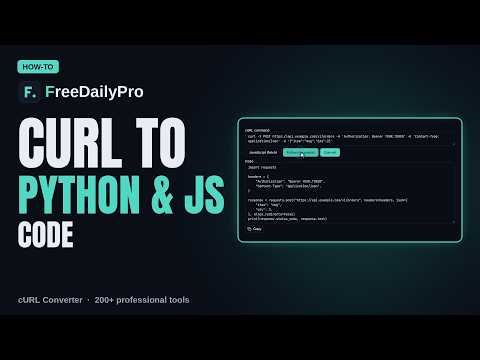
The short version: paste the curl command into cURL Converter, choose JavaScript (fetch), Node.js (axios), Python (requests) or PHP (cURL), and press Convert. Check the code, then copy it.
What the converter reads
The tool parses the command rather than guessing at it. It understands single quotes, double quotes, the bash #39;...' style, backslash line breaks, and also the two awkward styles you get from Windows: the caret-escaped command that Chrome produces on Windows ("Copy as cURL (cmd)") and PowerShell commands that continue lines with a backtick. Those are turned into plain text before parsing, so a command copied from a Windows machine converts as cleanly as one from a Mac.
It carries over the method (-X), headers (-H), data (-d, --data-raw, --data-binary and --data-urlencode), the --json shortcut, form fields and file uploads (-F), basic authentication (-u), cookies (-b), a user agent (-A), a referer (-e), the insecure flag (-k) and the follow-redirects flag (-L). It also understands -G, which moves the data into the query string, and -I for a HEAD request. Flags that only change how curl prints things, such as -s, -v, -i and -f, are accepted and ignored.
A worked example: a JSON POST
Take this command, which creates an item:
curl https://api.example.com/items -H 'Content-Type: application/json' -d '{"name":"test","qty":3}'
There is no -X, but there is a body, so the tool decides the method is POST, as curl does. It sees the JSON content type and treats the body as JSON. The four languages come out like this.
In JavaScript, you get a fetch call with method "POST", a headers object, and a body wrapped in JSON.stringify with the object spelled out in readable lines. In Python, you get requests.post with a headers dictionary and the body as json= with a real Python dictionary, so the quotes are not an issue and numbers stay numbers. In Node with axios, you get a single axios call with data as an object. In PHP, you get a curl_setopt_array block with CURLOPT_POSTFIELDS holding the original text.
The conversion is faithful in one more way that matters. Plain curl does not follow redirects unless you pass -L. So the generated fetch code sets redirect to "manual" and tells you why in a comment, the Python code passes allow_redirects=False, the axios code sets maxRedirects to 0 and PHP sets CURLOPT_FOLLOWLOCATION to false. If you do pass -L, those lines disappear and the code follows redirects. That matches what curl would have done, so a login that redirects behaves the same way in your code as it did in your terminal. In a browser, a manual redirect returns an opaque response with status 0, which the comment points out, so remove the line if you want fetch to follow redirects.
Form uploads, basic auth and the other cases
Form uploads (-F) become a FormData object in JavaScript, with a placeholder fileInput.files[0] for any @file part that you replace with your actual file input. In Python they become the data= and files= arguments, with the file opened in binary mode. For example, -F 'title=Report' -F 'file=@report.pdf' turns into requests.post with data={"title": "Report"} and files={"file": open("report.pdf", "rb")}.
A -u user:password option becomes a Basic Authorization header built with btoa in fetch, and an auth tuple in Python requests. The tool also copes with a subtle case: if the command has both -u and an explicit Authorization header, curl uses the header and ignores -u. The converter does the same and tells you in a note, with the password replaced by three asterisks.
The -G option turns -d q=shoes -d page=2 into a query string, so you get a GET to the search address with ?q=shoes&page=2 and no body. The --data-urlencode option percent-encodes the value for you.
What it tells you it left out
Two messages appear under the code. "Left out on purpose" lists things that need no code, such as --compressed, because browsers and Python requests already ask for and decode gzip. "Not converted" lists options the tool has no equivalent for, for example a rate limit or an output file, so nothing is dropped silently.
There is one quirk worth knowing about. If a command uses an unfamiliar option that takes a value, such as --limit-rate 100k, the converter does not know that 100k is the option's value. In a test with curl --limit-rate 100k https://x.test -o out.bin, the not-converted list shows --limit-rate and also the real address and -o out.bin, and the value 100k ends up being treated as the URL. So after you convert any command with an uncommon option, look at the first line of the code and make sure the address is the one you meant. Remove the odd option from the command and convert again if it is not.
The converter also expects the command to start with curl or curl.exe. Paste a wget line and you get an error, "The command should start with curl", rather than wrong code.
Secrets: treat the output like the input
A command copied from the network panel contains real tokens, session cookies and sometimes passwords. The tool says that everything runs in your browser and nothing is sent anywhere, which is true, but the generated code contains the same secrets. Remove them before you paste the code into a ticket or commit it. A good habit is to replace a token with a variable straight away, and to give the application a long random value generated with Password Generator rather than reusing a copied one. If you need to decode a Basic header to check what it contains, Base64 shows the plain text. The JSON Formatter post pairs naturally with this one when you need to read a request body.
A practical routine
- In your browser, open the network panel, right-click the request and choose Copy as cURL.
- Paste it into the converter and choose the language.
- Press Convert and read the code from the top. Check the address, the method and the body.
- Read the two notes under the code, "Not converted" and "Left out on purpose".
- Copy the code, replace tokens and cookies with variables, and run it once against a test environment.
The Convert button is what uses a trial use, and so does copying the finished code. The tool is a Professional Tool with 10 trial uses a day, then a $1 day pass or the $4.99 monthly plan.
Common mistakes
Pasting a command with a live token into a shared document. Leaving the redirect setting alone and being surprised that a response comes back as status 0 in a browser. Forgetting that the file part of a form upload is a placeholder you must connect to a real file. Trusting an output whose first line has the wrong address after an unusual option. Expecting the tool to translate headers that your server adds, such as a browser's automatic ones. And running the generated code against production before testing it.
Summary
curl commands are the common language of API documentation, and a converter saves the careful, boring translation into fetch, axios, requests or PHP. cURL Converter reads Windows and bash styles, keeps the redirect behaviour of the original, handles JSON, forms, auth and cookies, and lists what it could not convert. More tools for engineers are in the security tools category.
Open cURL ConverterWhich curl option do you see most that the tool should handle? Tell us on the contact page.